
Google Brings Gemini Omni to Vids for Instruction-Driven Video Editing and Generation
Google has expanded Gemini Omni in Google Vids, enabling creators to generate clips, edit existing footage through conversation and refine videos with media references.
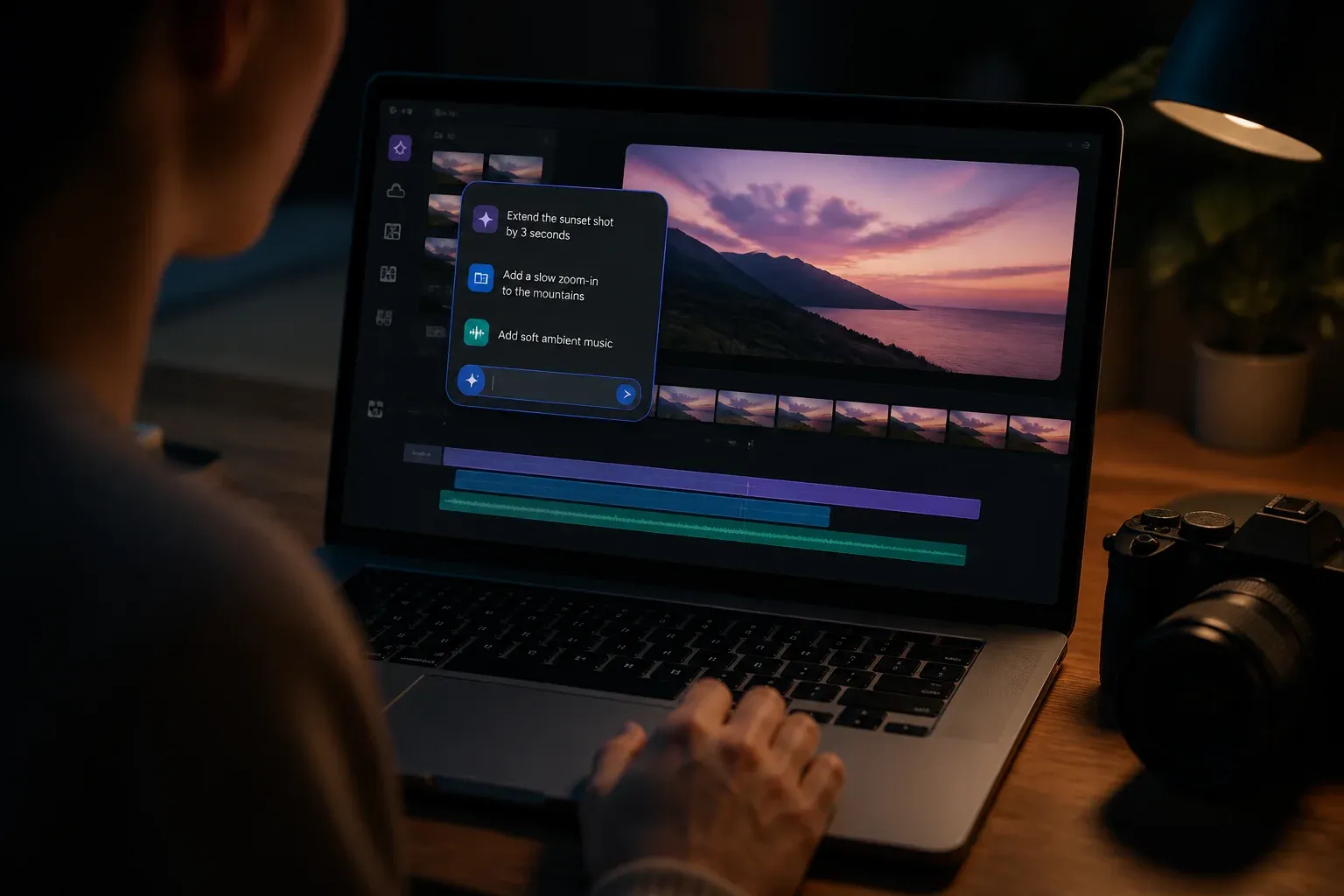
Google has expanded Gemini Omni into Google Vids for end-to-end AI video generation and editing. The update lets users create clips from text and image references, then make targeted changes to existing footage through a step-by-step conversation. Rather than rebuilding a video after each revision, users can describe an adjustment, supply additional media where useful and refine the result in place.
The central development is Omni's use of multimodal and real-world understanding in a Vids workflow. According to Google DeepMind's Gemini Omni overview, the model can work from arbitrary media, including images, text, video and audio, and apply reference-to-video capabilities grounded in world knowledge and physics-like reasoning. In Google Vids, that foundation is intended to make generated and edited scenes more coherent in composition, context and visual behavior.
For teams that already use Vids to communicate ideas, training material or internal updates, the change moves AI assistance beyond first-draft generation. It introduces a conversational editing layer that can alter a chosen part of a video while preserving the broader scene and workflow.
What Gemini Omni changes in Google Vids
Gemini Omni supports both video creation and revision. A creator can begin with a prompt or image reference to generate a clip, or bring in existing footage and specify what should change. Google describes examples such as changing color grading or lighting, replacing backgrounds and removing background elements.
This distinction matters because prompt-to-video and video editing have different practical constraints. Generating a new clip can be useful when no footage exists. Editing existing material is more relevant when a team wants to retain an established subject, scene or message while changing selected details. Omni's reference handling is designed to connect those modes rather than treating each request as an isolated output.
| Workflow | How Gemini Omni is used in Vids | Supported inputs or instructions |
|---|---|---|
| Generate a new clip | Creates video content from a prompt and image references | Text prompts and image references |
| Edit existing video | Applies targeted changes through natural-language conversation | Text instructions and media references |
| Iterative refinement | Allows step-by-step changes instead of restarting the project | Follow-up instructions and arbitrary media, including image, text, video or audio |
The model's stated real-world grounding is particularly relevant for edits that can otherwise expose visual inconsistencies. A request to alter illumination, replace a background or transform a subject requires the system to account for the surrounding scene. Google positions Omni's world understanding and physics-like reasoning as the mechanism for improving realism and coherence across those transformations.
The feature set also includes optional personal avatars that can appear in AI-generated clips. That gives users another way to create video presentations without relying solely on newly captured footage, although Google frames avatars as optional rather than a requirement of the editing workflow.
The underlying Vids experience continues Google's Veo-derived approach to AI video workflows, but Omni adds a broader reference-to-video and conversational editing capability. The practical shift is not simply that Vids can make more video. It is that creators can progressively direct the model with instructions and contextual source material during the production process.
Availability, traceability and workflow implications
Google publicly rolled out the Omni-enabled Vids capabilities in mid-July 2026. The company describes availability across multiple Google Workspace tiers and consumer plans, but the supplied materials do not provide a complete plan-by-plan entitlement or pricing breakdown. Organizations should therefore confirm access in their own Workspace or consumer plan before designing a workflow around the feature.
Regional conditions also matter. Google's launch information identifies restrictions for non-AI editing with Omni in the European Economic Area, the United Kingdom, Texas and Illinois at launch. That means availability should not be treated as uniform across every jurisdiction, even where an organization otherwise has access to Google Vids.
Google is also including SynthID watermarking and traceability in the generation and editing workflow. SynthID is intended to help verify AI provenance, which is significant for organizations that need to distinguish generated or materially edited media from conventional footage. It does not replace an organization's review, approval or disclosure processes, but it provides a technical layer aligned with transparency efforts.
For creator and business workflows, the immediate implications are practical:
- Faster revision cycles: Teams can request discrete changes in conversation instead of recreating an entire clip after each feedback round.
- More contextual source material: Images, text, video and audio can inform a cohesive edit rather than functioning only as separate production assets.
- Potentially more consistent visual changes: Omni's stated grounding in real-world context is aimed at keeping transformations coherent with the rest of the scene.
- New governance considerations: Teams need to account for provenance, regional access restrictions and internal standards for reviewing AI-generated media.
The update could be especially useful for communications teams producing repeatable internal videos, training content and presentations where rapid iteration matters. Still, it does not eliminate the need for editorial judgment. A text instruction can express an intended outcome, but organizations remain responsible for whether the final video is accurate, appropriate and compliant with their policies.
Organizations assessing how Gemini Omni can fit into existing content systems can work with Scalevise on AI workflow design, governance and implementation for practical video and automation use cases.
Frequently Asked Questions
What can Gemini Omni do in Google Vids?
Gemini Omni can generate video clips from prompts and image references, edit existing footage through natural-language instructions and support iterative refinements using media references.
How does Gemini Omni edit an existing video?
Users describe targeted changes in a step-by-step conversation. Google cites examples including changes to color grading, lighting and backgrounds, plus removal of background elements.
Which media can Gemini Omni use as references?
Google describes Omni as able to reference arbitrary media, including images, text, video and audio, to help produce cohesive video edits.
Is Gemini Omni in Google Vids available everywhere?
Google rolled out the capabilities across multiple Workspace tiers and consumer plans in mid-July 2026, but launch materials identify regional restrictions for non-AI editing with Omni in the European Economic Area, United Kingdom, Texas and Illinois.
How does SynthID relate to Gemini Omni video editing?
SynthID provides a watermarking and traceability layer intended to help verify the AI provenance of generated and edited content.
Conclusion
Gemini Omni gives Google Vids a more complete conversational video workflow, combining generation, targeted editing and iterative refinement around contextual media references. Its usefulness will depend on plan access, regional availability and disciplined review practices, while SynthID adds an important provenance mechanism for organizations working with AI-generated video.