
Make AI Agents App Update: Embedded Reasoning Inside the Scenario Builder
The new Make AI Agents app adds embedded decision logic, reasoning transparency, and native Scenario Builder integration. This article breaks down what changed and how to apply it.
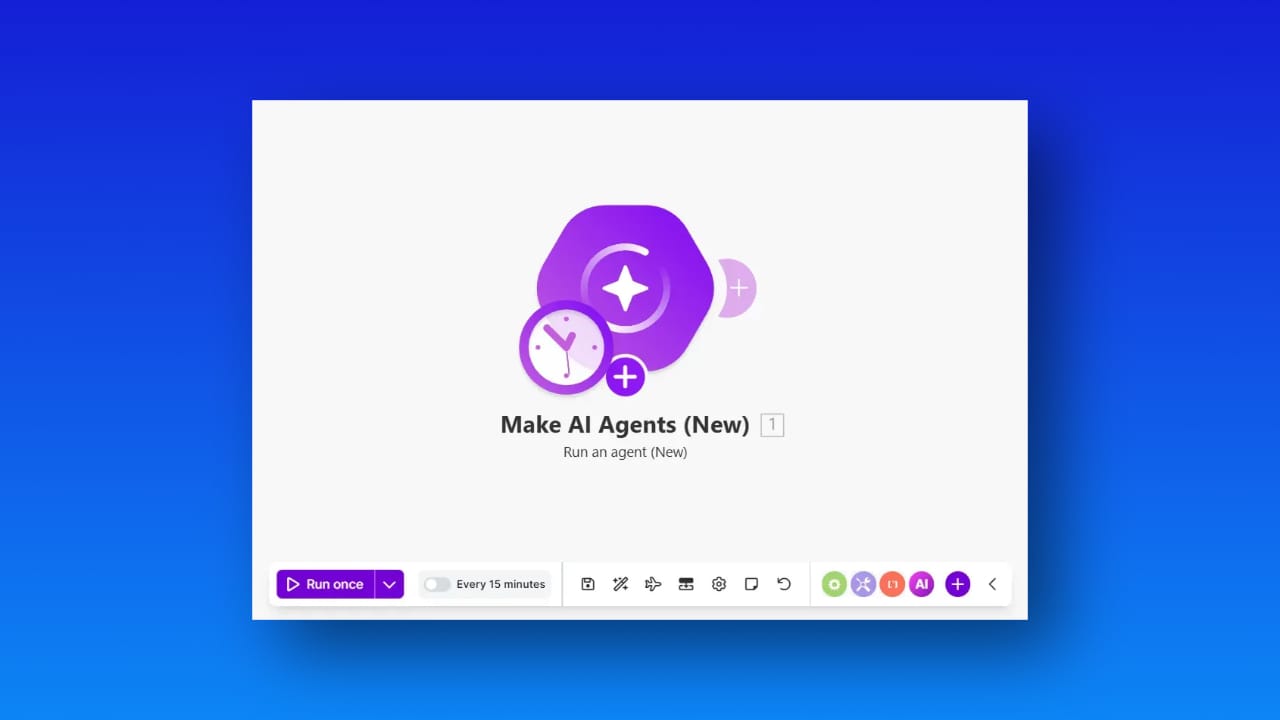
Automation has evolved in waves. First rule based triggers. Then API driven integrations. Then low code orchestration. Now we are entering a different phase. Agent driven decision systems embedded directly inside operational workflows.
The new Make AI Agents app introduces a structural shift in how logic is executed inside Make. If you use Make for serious automation, this changes the architecture conversation.
This article explains what is actually new, why it is strategically relevant, and how organizations can apply it in real operational contexts.
From AI Calls to Embedded Agents
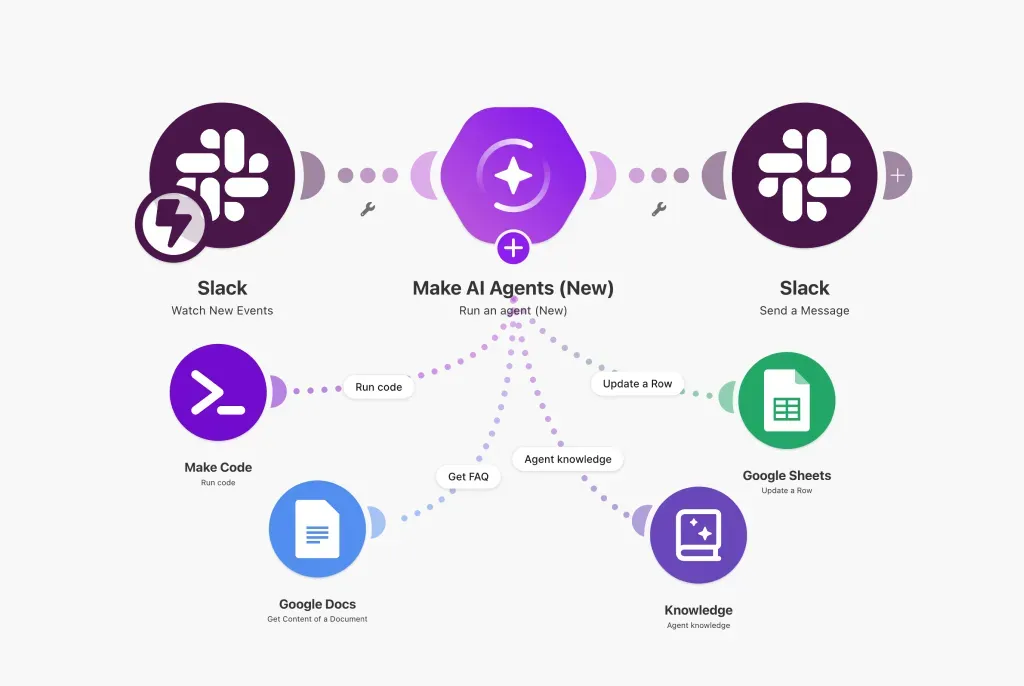
Until recently, AI inside Make meant adding a model module to a scenario. You passed a prompt, received output, and continued the flow. The intelligence was isolated. The orchestration remained static.
The new AI Agents app changes that structure.
Instead of treating AI as a single step, Make now allows you to build an agent that can:
- Access connected tools
- Use uploaded knowledge or files
- Decide which action to execute
- Explain its reasoning inside the interface
The key difference is control and observability. The agent is no longer a black box text generator sitting between modules. It becomes a managed decision unit inside your scenario.
That distinction matters for scaling, governance, and reliability.
Native Integration Inside the Scenario Builder
The most significant improvement is structural. AI Agents now live directly inside the Scenario Builder.
This means you can configure the agent, assign tools, test outputs, inspect reasoning, and refine behavior without leaving the workflow environment. There is no separate configuration layer or external AI management dashboard.
Operationally, this reduces friction. Architecturally, it centralizes logic.
For teams building complex automations across CRM, finance, support, and operations, centralization lowers maintenance overhead and reduces configuration drift.
Transparent Reasoning and Debugging
One of the more strategic upgrades is the reasoning panel.
When the agent executes, you can see how it evaluated input, which tool it selected, and why it produced a specific output. That transparency moves AI usage from experimentation toward operational discipline.
In practical terms, this enables:
- Debugging inconsistent outputs
- Understanding decision paths
- Improving prompts with data driven iteration
- Supporting internal audit requirements
For organizations concerned about compliance, accountability, or explainability, this is not a minor feature. It is foundational.
AI Assisted Tool Configuration
Another important addition is AI assisted configuration when setting up tools. Instead of manually mapping every field, the agent can assist in filling and configuring tool inputs.
This reduces friction during implementation. It also lowers the entry barrier for teams that are not deeply technical but still want to build advanced automations.
Knowledge and File Awareness
The new app supports file inputs and knowledge uploads. This expands the use cases beyond simple conversational or classification tasks.
Agents can now work with documents, structured content, and internal knowledge sources. That enables context aware automation instead of prompt isolated behavior.
For organizations handling contracts, reports, tickets, or policy documents, this opens new possibilities.
Unstructured data is often where automation fails. Agents with document awareness begin to close that gap.
Why This Is Strategically Interesting
This release moves Make from a workflow automation tool that can call AI, to a workflow automation platform that embeds AI decision systems.
That has several implications.
First, AI logic becomes reusable. Agents can be designed as modular decision components and reused across scenarios.
Second, governance improves. Visibility into reasoning reduces operational risk.
Third, the platform becomes more aligned with the concept of agentic architecture, where workflows are not purely deterministic but adapt based on context and decision layers.
Real Business Applications
Theory is irrelevant without execution. Here are realistic use cases where the new AI Agents app becomes operationally valuable.
Intelligent Lead Qualification
An agent evaluates incoming leads from a CRM such as Pipedrive or HubSpot. It analyzes free text input, company size, industry, and prior engagement.
Instead of applying static filters, the agent scores and routes leads dynamically. High intent prospects move directly to sales. Lower intent leads enter nurturing flows.
Advanced Support Ticket Routing
Customer support inboxes are rarely structured. Emails contain ambiguous intent, multiple issues, and inconsistent language.
An AI agent can classify tickets, determine urgency, select the correct internal team, and draft a contextual reply. If needed, it escalates based on predefined logic.
Financial Document Processing
Invoices, expense claims, and vendor contracts often require human validation.
An agent can extract key data, validate totals against policy rules, flag anomalies, and route for approval. Instead of a static extraction flow, the agent evaluates context before acting.
For finance teams, this reduces manual review load while maintaining audit traceability.
Internal Knowledge Assistants
Organizations accumulate SOP documents, onboarding guides, and policy files. Accessing the right information quickly is inefficient.
An AI agent connected to internal knowledge can respond to employee queries and execute actions such as creating tickets or triggering onboarding workflows.
This turns static documentation into operational intelligence.
AI Driven Workflow Optimization
One of the more advanced applications is meta optimization.
An agent can monitor workflow performance metrics and recommend structural improvements. For example, identifying recurring failure points or bottlenecks in routing logic.
This is where automation evolves into adaptive systems.
Architectural Considerations Before Adoption
Despite the promise, disciplined implementation remains essential.
Agent driven workflows introduce probabilistic behavior into systems that were previously deterministic. That increases flexibility but also complexity.
Organizations should:
- Define clear boundaries for agent decision authority
- Log and monitor agent outputs consistently
- Start with low risk operational domains
- Standardize prompt structures across agents
Adoption should be incremental. The goal is controlled intelligence, not uncontrolled autonomy.
What This Signals About the Future of Make
Make is positioning itself beyond simple automation orchestration. By embedding AI agents directly into the scenario layer, it is aligning with broader industry trends around agentic systems and intelligent middleware.
The implication is clear. Automation platforms are no longer just connectors between APIs. They are becoming operational reasoning layers inside digital infrastructure.
For organizations already using Make, this creates an opportunity to redesign workflows that were previously too complex or too ambiguous for rule based logic.
For those evaluating automation platforms, this raises the bar for what AI support should actually mean.
Final Perspective
The new Make AI Agents app is not about adding generative text into workflows. It is about embedding explainable decision systems into automation architecture.
With native integration, reasoning transparency, knowledge awareness, and tool assisted configuration, Make has taken a meaningful step toward operational AI inside business processes.
The organizations that treat this as an architectural upgrade, rather than a feature toggle, will extract the most value.
Agent driven automation is no longer theoretical. It is now a practical layer inside modern workflow systems.