
TensorFlow with Azure ML: An Architectural Guide to Pre-Trained Models
A practical architectural guide to running TensorFlow on Azure Machine Learning using pre-trained models from TensorFlow Hub, without turning prototypes into fragile demos.
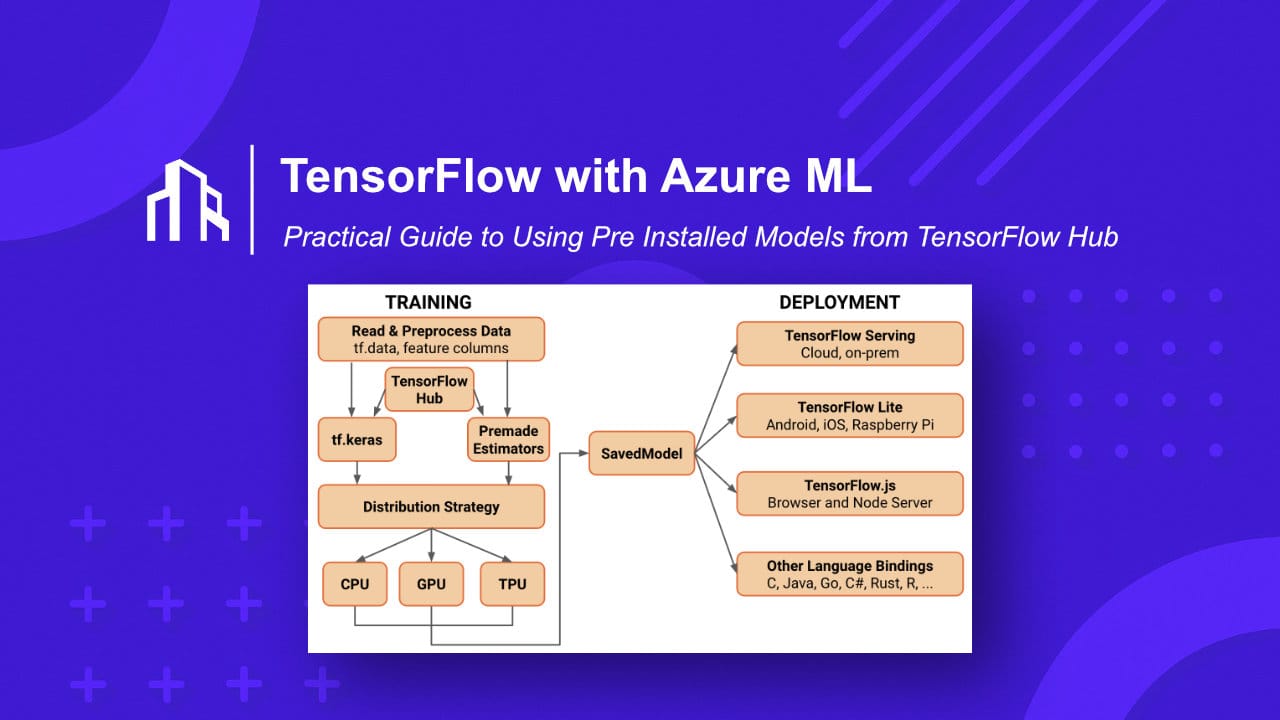
Modern machine learning is no longer about training massive models from scratch. In practice, most production systems rely on pre trained models, solid cloud infrastructure, and a controlled deployment pipeline.
This guide explains how TensorFlow and Azure Machine Learning work together, how pre installed models from TensorFlow Hub fit into that picture, and how teams typically structure this setup in a scalable, enterprise ready way.
⚠️ This is not a step by step copy paste tutorial. It is an architectural guide designed to help you make the right decisions before building.
Why TensorFlow and Azure ML Work Well Together
Microsoft provides the infrastructure layer, while TensorFlow focuses purely on model execution and training. Azure Machine Learning sits in between and handles the operational complexity.
What this combination gives you in practice:
- Managed compute including GPU instances
- Reproducible environments
- Built in experiment tracking
- Versioned models and datasets
- A clean path from experimentation to production
The key advantage is separation of concerns. Data scientists focus on models. Engineers focus on systems. Operations stay predictable.
Using Pre Installed Models from TensorFlow Hub
TensorFlow Hub Models
TensorFlow Hub is a public repository of reusable machine learning models maintained by Google and the community.
Common categories used in real projects include:
- Image classification and feature extraction
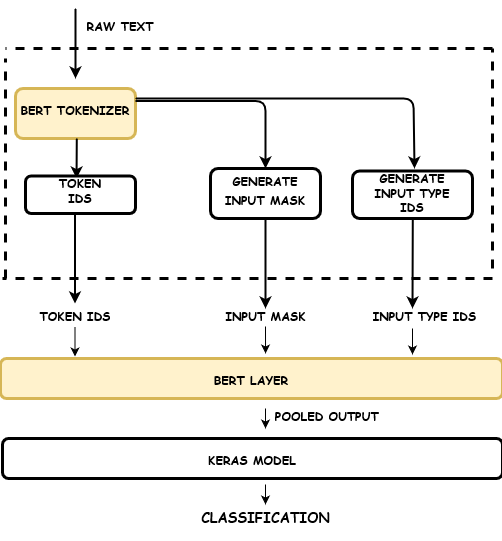
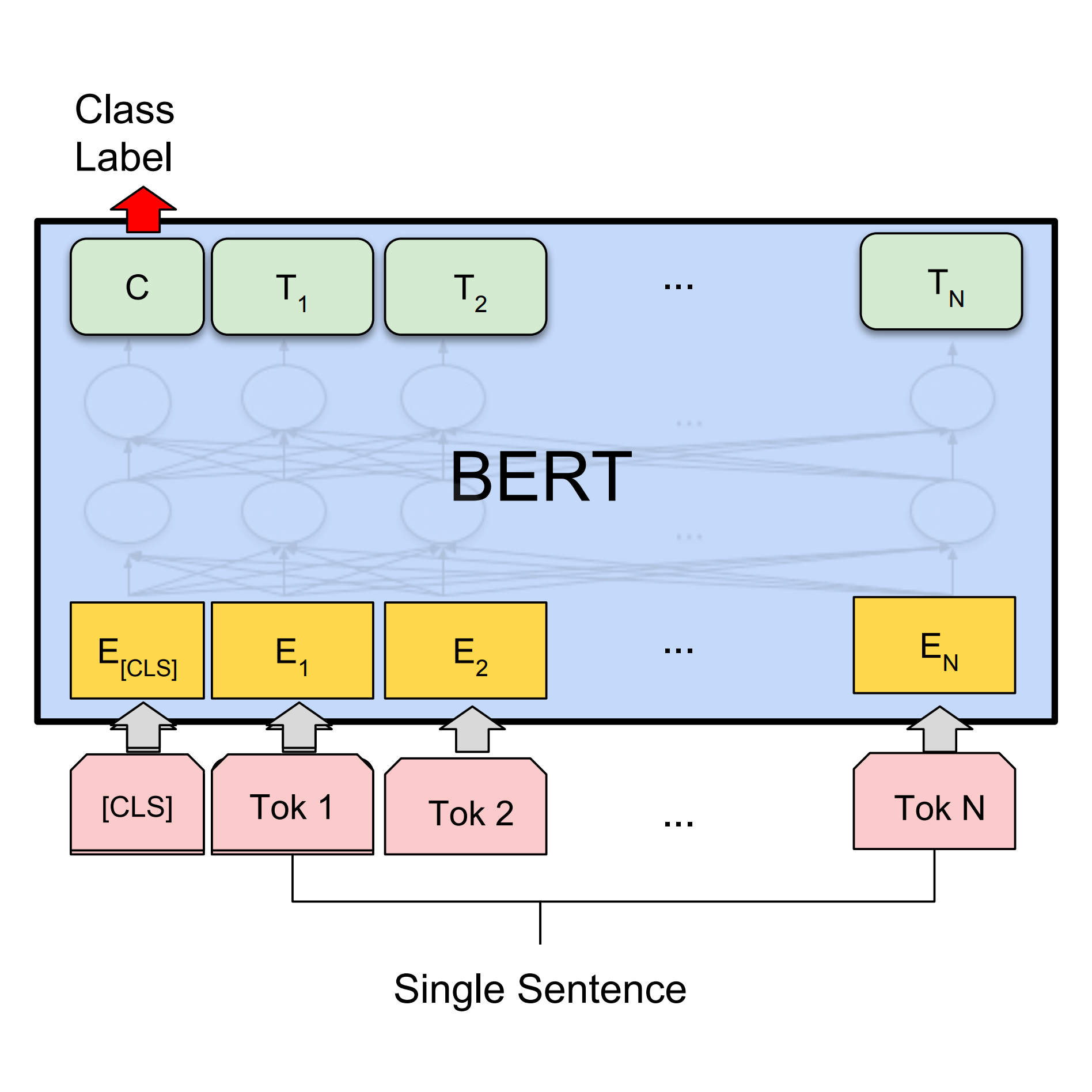
- Text classification and embeddings
- Semantic similarity and clustering
- Lightweight models optimized for inference
These models are production proven. You load them as dependencies rather than training from zero, which drastically reduces cost and complexity.
High Level Architecture Overview
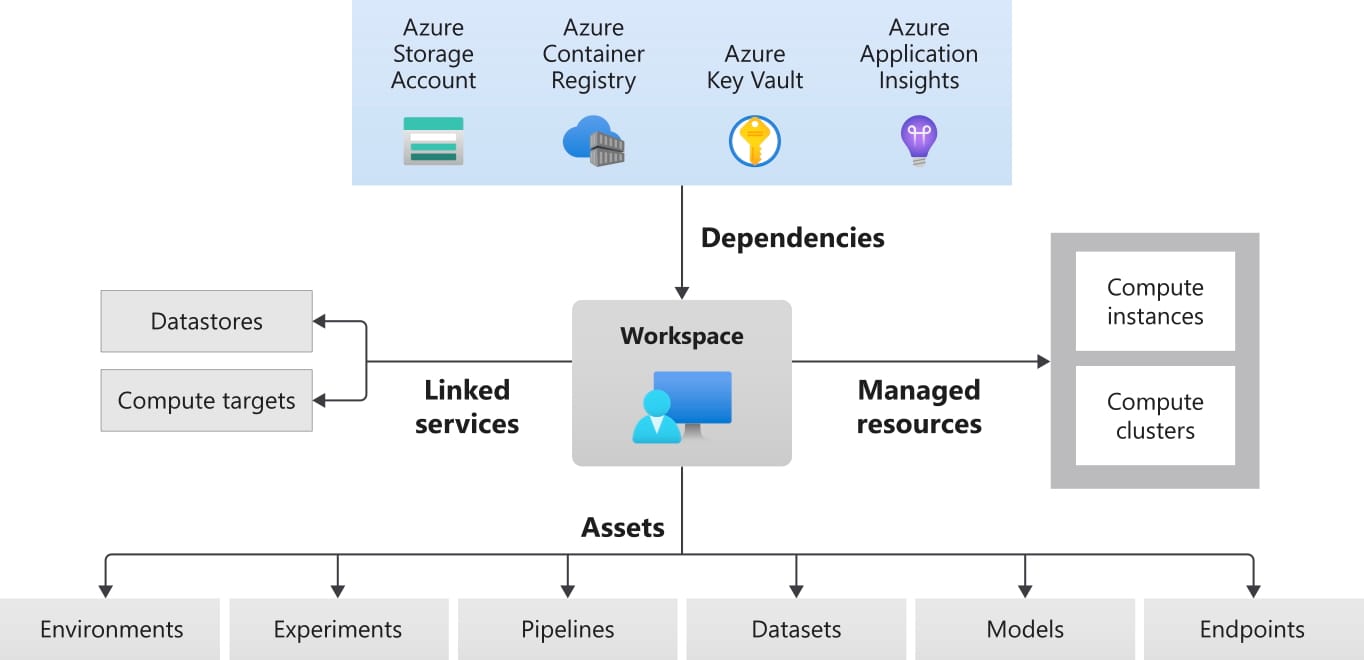
A standard setup follows a predictable structure:
- Azure ML Workspace
The central control plane for experiments, models, and environments. - Compute Layer
GPU or CPU compute instances depending on workload. Compute is started only when needed. - Data Layer
Datasets stored in Azure Blob Storage or Data Lake, versioned and auditable. - Model Execution
TensorFlow runs inside a managed environment with TensorFlow Hub models loaded as dependencies. - Tracking and Registry
Metrics, artifacts, and trained models are logged and versioned automatically.
This architecture scales from a single experiment to multi team production use.
Environment Setup Without the Pain
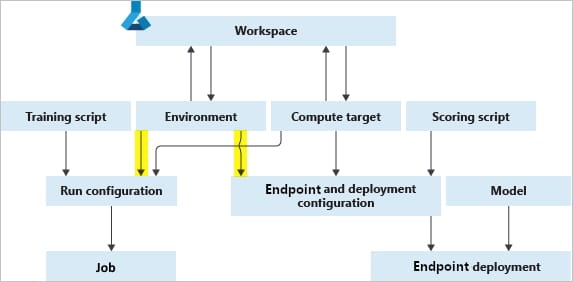
One of the biggest misconceptions is that setting up TensorFlow with GPU support is complex. In Azure ML, it is largely abstracted.
Key principles that matter in practice:
- Use managed environments rather than custom VM images
- Pin TensorFlow versions explicitly
- Treat environments as versioned assets
- Avoid local only configurations
This is where many DIY setups quietly fail when teams try to move to production.
Loading a TensorFlow Hub Model Inside Azure ML
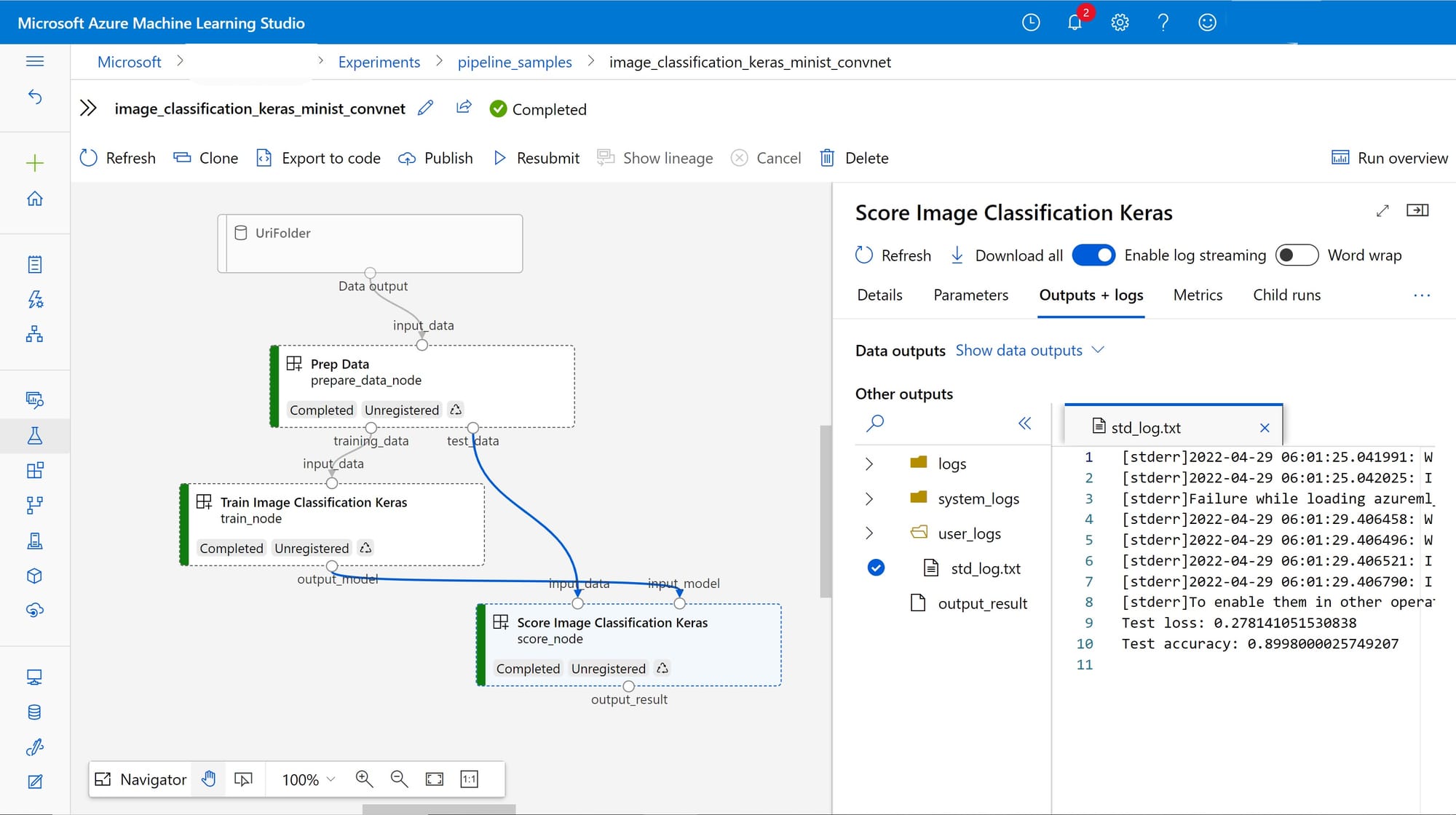
From an engineering perspective, loading a Hub model is trivial. The strategic decision is how you integrate it.
Typical patterns include:
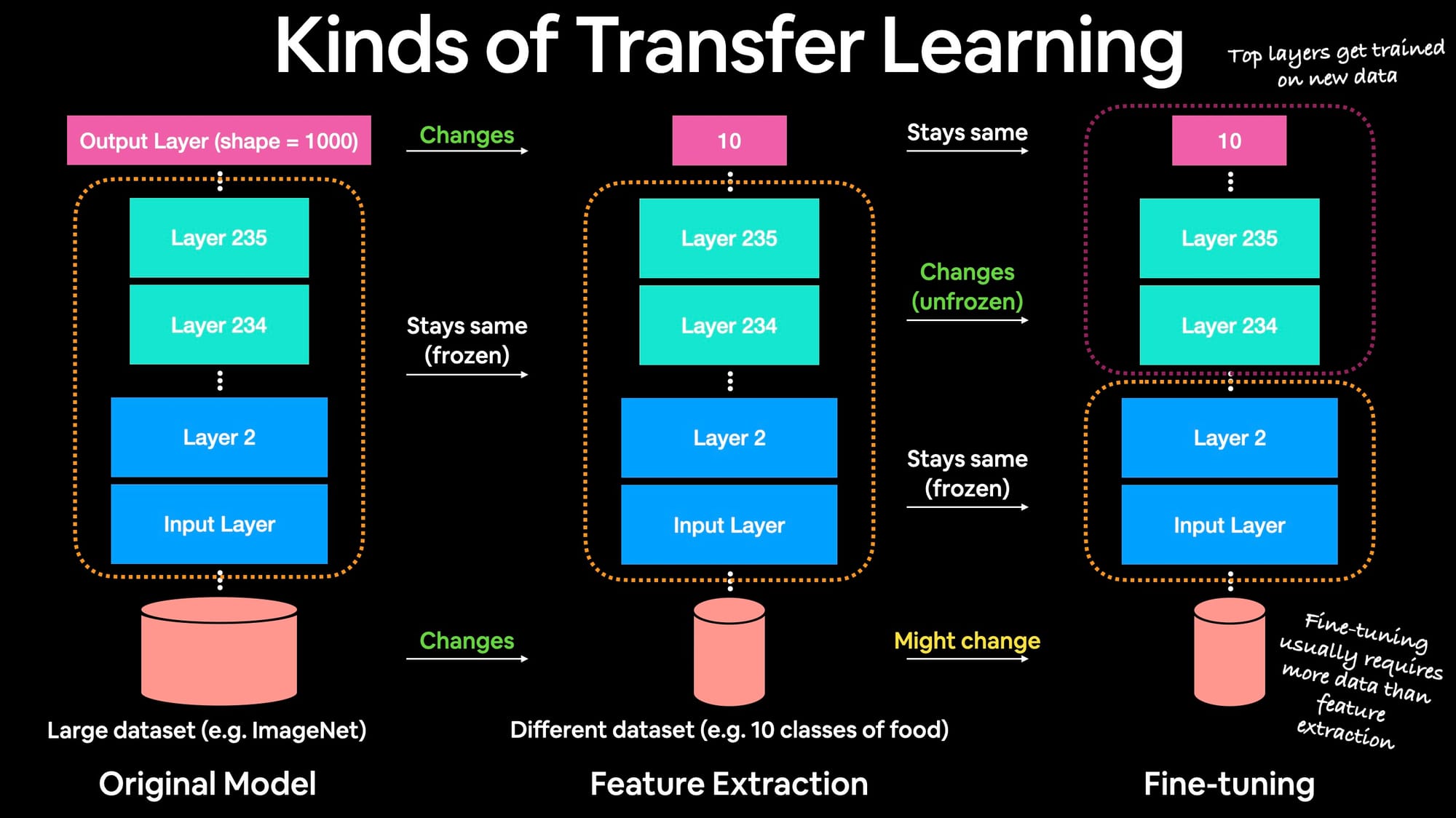
- Feature extraction only without retraining
- Partial fine tuning with frozen layers
- Inference only pipelines for production services
What you do here impacts cost, latency, and maintainability more than model choice itself.
Operational Risks Teams Often Miss
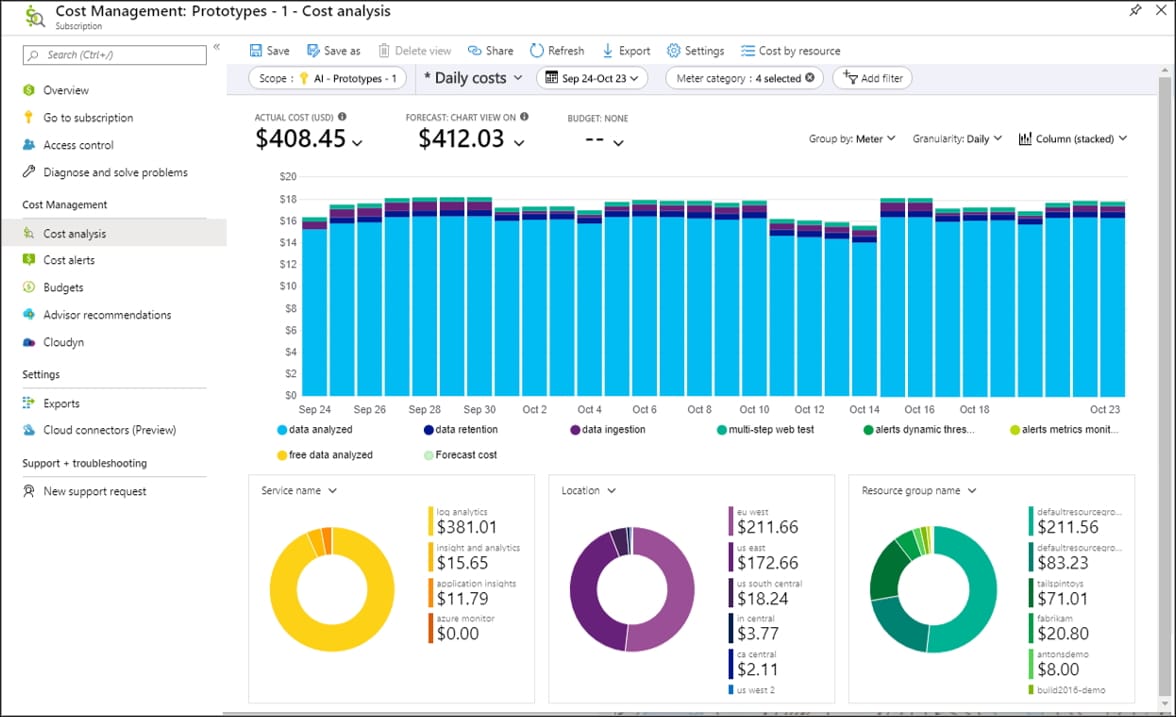
Most failures are not technical. They are operational.
Common blind spots include:
- GPU instances left running
- No clear separation between experimentation and production
- Models without lineage or ownership
- No rollback strategy
- Missing auditability for regulated environments
This is exactly where many promising prototypes stall.
When This Setup Makes Sense
This approach is well suited if you are:
- Building intelligent features on top of existing platforms
- Processing website content, images, or documents
- Creating internal AI tooling or automation
- Scaling beyond notebooks and demos
It is not ideal for quick throwaway experiments or one off scripts.
Cost Calculation
What TensorFlow on Azure ML Really Costs at Scale
The total cost of running TensorFlow workloads on Microsoft Azure depends far more on operational discipline than on model choice. The estimates below reflect common real-world usage patterns when working with pre-trained models and scheduled compute.
Assumptions Used
- GPU compute is started only when needed
- Pre-trained models are reused with limited fine-tuning
- No always-on inference endpoints
- Storage and networking kept minimal
Monthly Cost Estimate by Department Size
| Department Size | Typical Use Case | Azure ML Compute | Storage & Ops | Estimated Monthly Cost |
|---|---|---|---|---|
| 5–10 employees | Experiments, internal tooling | 1 GPU VM used intermittently | Low | €400 – €700 |
| 20–30 employees | Active development, parallel runs | 1–2 GPU VMs scheduled | Medium | €900 – €1,500 |
| 50–75 employees | Shared ML environment | 2–3 GPU VMs with tracking | Medium–High | €1,800 – €3,000 |
| 100+ employees | Central ML platform | 3–5 GPU VMs with governance | High | €3,500 – €6,000 |
What Drives Cost Up Quickly
The following factors consistently cause unexpected Azure spend:
- GPU instances left running outside active work hours
- Training models from scratch instead of reusing pre-trained models
- No separation between experimentation and production environments
- Lack of usage limits or ownership per team
- Always-on inference endpoints
In most cases, cost overruns are not caused by scale but by missing guardrails.
How Scalevise Helps
Production Ready TensorFlow on Azure Without the Guesswork
At Scalevise, we design and implement production ready ML environments that move beyond prototypes and actually scale in production.
Our focus is on:
- Clean architecture instead of ad hoc setups
- Cost controlled compute strategies
- Secure and compliant deployments
- Maintainable MLOps foundations
- Practical integration with existing systems
If you want this implemented properly rather than patched together, we can set it up end to end.