
Azure AI Foundry vs Microsoft Copilot Studio: Architecture, Use Cases and Costs
Azure AI Foundry and Microsoft Copilot Studio serve different layers of enterprise AI. This article explains how they differ in architecture, ownership, and pricing, with realistic cost calculations to help teams choose the right approach.
TL;DR
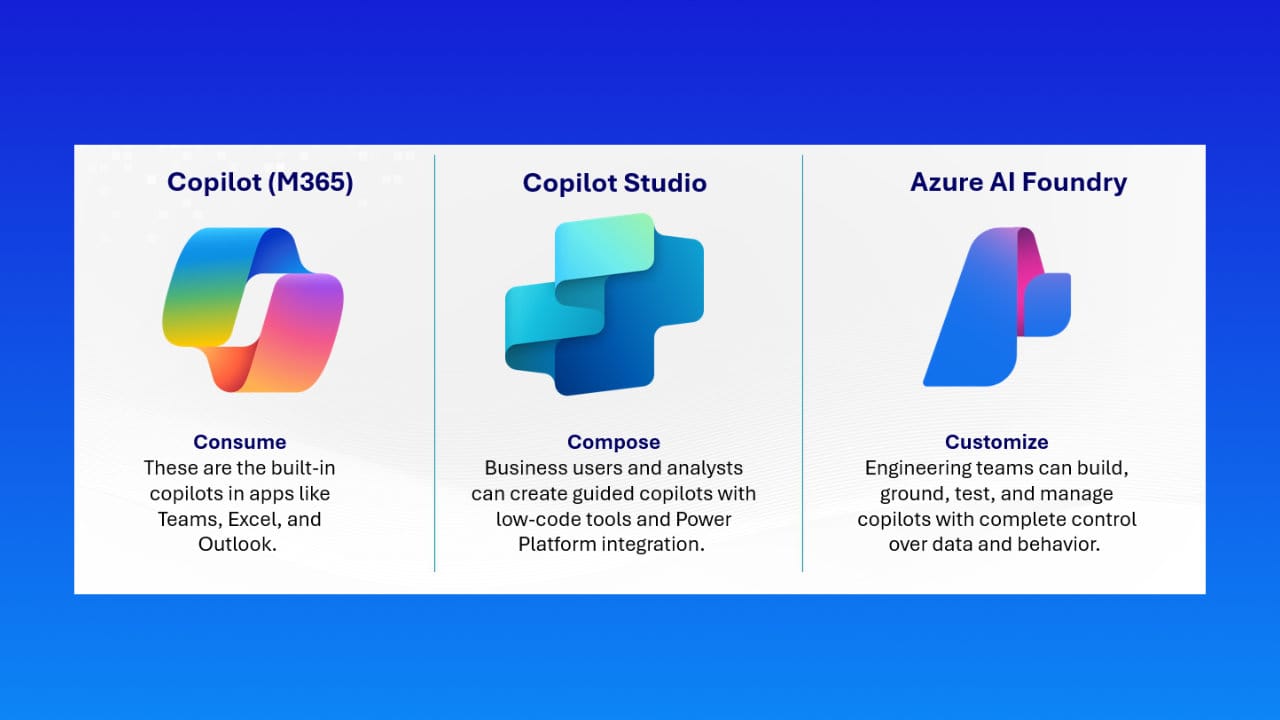
Azure AI Foundry and Microsoft Copilot Studio operate on different layers of the enterprise AI stack.
Azure AI Foundry is a system and platform layer for teams that build, run, and scale AI as part of their core technical architecture.
Microsoft Copilot Studio is a delivery and agent layer for teams that want to expose AI capabilities quickly to users inside productivity and collaboration environments.
They are not alternatives. In mature environments, they are often used together.
What each platform is designed to do
Azure AI Foundry
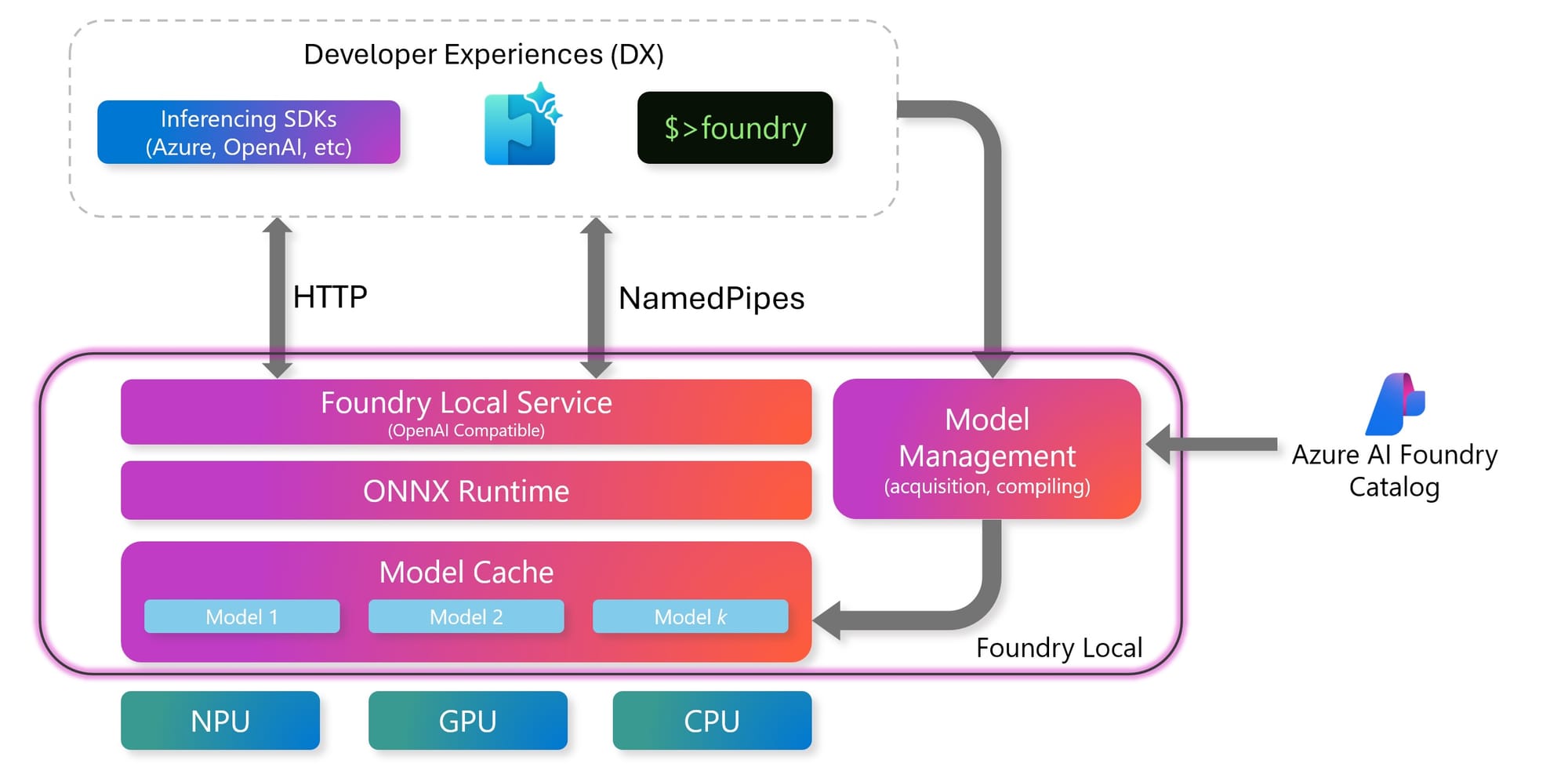
Azure AI Foundry is built for organizations that treat AI as a production system.
It is used when teams need explicit control over how intelligence is hosted, scaled, secured, and monitored. Model behavior, performance characteristics, data boundaries, and operational lifecycle are deliberate design decisions.
This platform assumes engineering ownership and long-term responsibility. AI is part of the technical foundation, not a surface feature.
Microsoft Copilot Studio
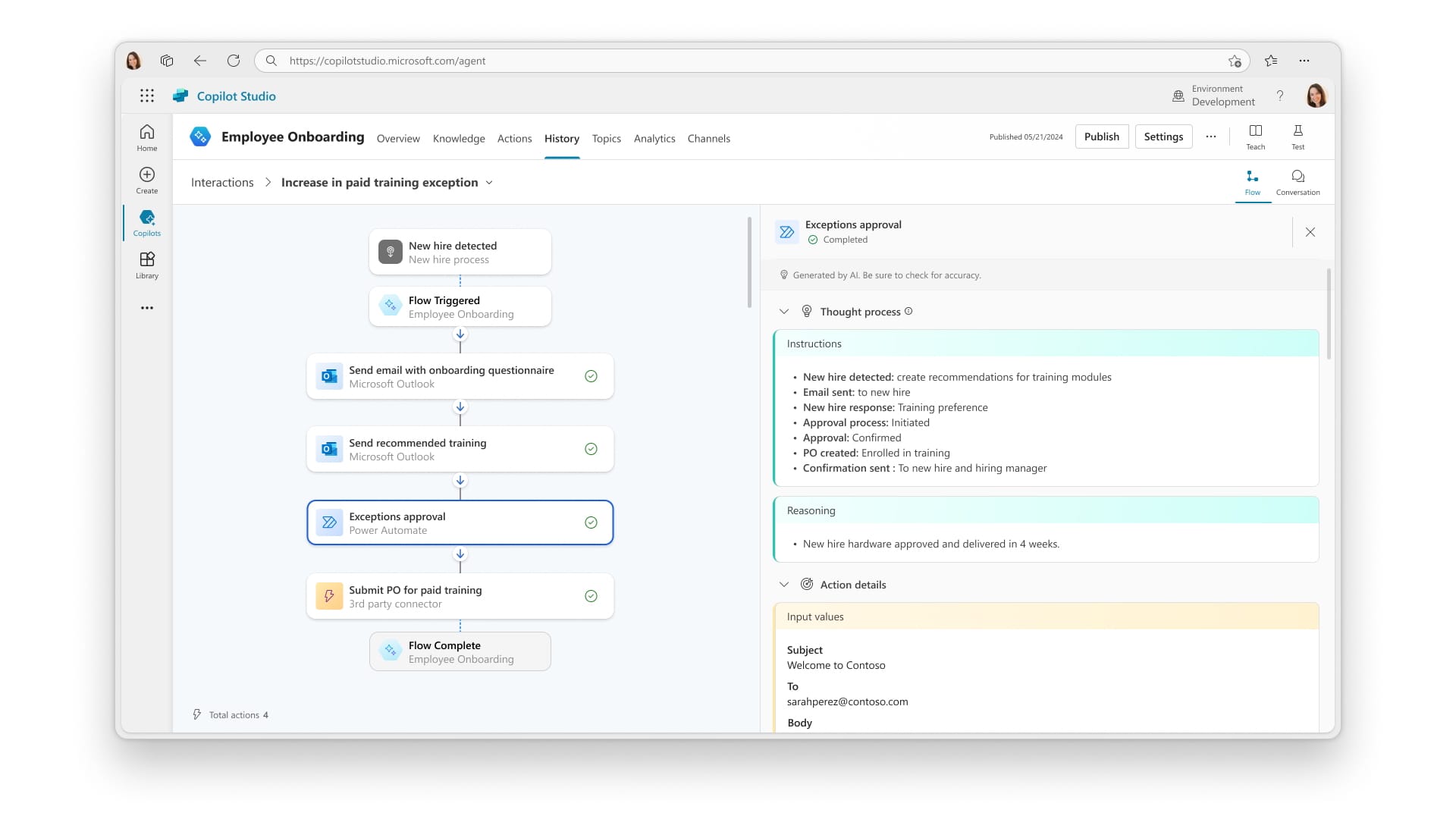
Microsoft Copilot Studio is built to deliver AI behavior through agents.
It focuses on rapid configuration, organizational rollout, and integration into everyday work contexts. Most execution complexity is abstracted, allowing non-engineering teams to configure and publish agents safely.
Here, AI is consumed as a capability rather than operated as a system.
Architectural depth and control
System-level architecture
With Azure AI Foundry, teams design request flows, data access patterns, scaling behavior, and observability. Environment separation, isolation, and optimization are first-class concerns.
This enables predictability and cost control, but requires architectural maturity and operational discipline.
Managed execution model
With Microsoft Copilot Studio, teams define intent and interaction rather than infrastructure. Execution runs inside a managed environment. Identity is inherited from users, and actions are mediated through permissions and connectors.
This accelerates adoption, but intentionally limits how far teams can customize internals.
Which teams should use what
Engineering-led teams
Azure AI Foundry fits teams responsible for products, internal platforms, or shared services where AI must meet performance, reliability, and compliance expectations.
Typical signals include production SLAs, custom pipelines, internal APIs, and regulated data handling.
Business and IT-led teams
Microsoft Copilot Studio fits teams focused on productivity, internal assistance, or workflow enablement for knowledge workers.
Typical signals include conversational interfaces, user-initiated actions, and deep alignment with collaboration tooling.
Cost behavior and planning
Platform-driven cost dynamics
With Azure AI Foundry, spending is shaped by usage patterns and architectural decisions. Throughput, concurrency, model selection, and supporting services all influence the final cost.
Well-designed systems converge toward stable unit economics. Poor design amplifies spend under load.
Cost comparison overview
Assumptions used for realistic calculation:
• Mid-size internal deployment
• ~1,000 active users
• ~20,000 meaningful AI interactions per month
• Text-focused workloads (no heavy vision/audio)
• Production environment with basic monitoring
• Prices reflect typical real-world spend, not marketing minimums
| Cost dimension | Azure AI Foundry | Microsoft Copilot Studio |
|---|---|---|
| Pricing model | Usage-based (models + infra) | Fixed monthly credit packs |
| Base unit price | ~$10 per 1M tokens (blended input/output, common enterprise models) | ~$200 per 25,000 Copilot Credits |
| Monthly usage assumption | ~40M tokens (prompt + response combined) | ~20,000 agent interactions |
| Core AI cost (monthly) | ~$400 | ~$160 (20k credits used) |
| Supporting services | ~$150–$300 (search, storage, logs, networking) | Included |
| Operational overhead | ~$100–$250 (monitoring, environments, idle capacity) | Included |
| Estimated monthly total | ~$650–$950 | ~$200–$400 |
| Cost scaling factor | Token volume and concurrency | User adoption and agent behavior |
| Predictability | High if workloads are controlled | Medium without usage governance |
| Cost control lever | Architecture, caching, capacity planning | Credit limits, scoped agents |
| Main financial risk | Inefficient system design | Silent overuse across teams |
Tenant-level consumption
With Microsoft Copilot Studio, usage is aggregated at the tenant level and consumed by agent activity. This simplifies procurement but reduces transparency unless monitoring and ownership are enforced.
The primary risk is uncontrolled growth rather than entry cost.
Security and governance considerations
Explicit control boundaries
At the system layer, identity, access control, logging, and auditing follow established enterprise patterns. Responsibility is clear and traceable.
This makes risk visible and manageable.
Delegated execution risk
At the agent layer, actions are executed on behalf of users. Permission scopes and consent flows become critical. Without review and ownership, agents can unintentionally gain broad reach.
This requires active governance, not passive trust.
Common failure scenarios
Organizations run into trouble when they use an agent environment as a backend system, or when they over-engineer simple assistance with full platform tooling.
Another recurring issue is decentralized agent creation without cost or permission oversight.
These are operational mistakes, not product flaws.
Recommended operating model
In many organizations, the strongest approach is layered.
Azure AI Foundry handles models, data access, and business logic.
Microsoft Copilot Studio exposes controlled capabilities to users through agents.
This separation keeps architecture stable while enabling fast adoption.
Final guidance
If AI must be engineered, monitored, and optimized, start with Azure AI Foundry.
If AI must be delivered quickly and safely to users, start with Microsoft Copilot Studio.
If you are moving beyond pilots, expect to use both.