
Gemini Canvas Demonstrates Parameterized 3D Design and STL Export Workflow
Gemini Canvas has demonstrated an app-based workflow for changing 3D design parameters in real time and exporting a model as an STL file for 3D printing.
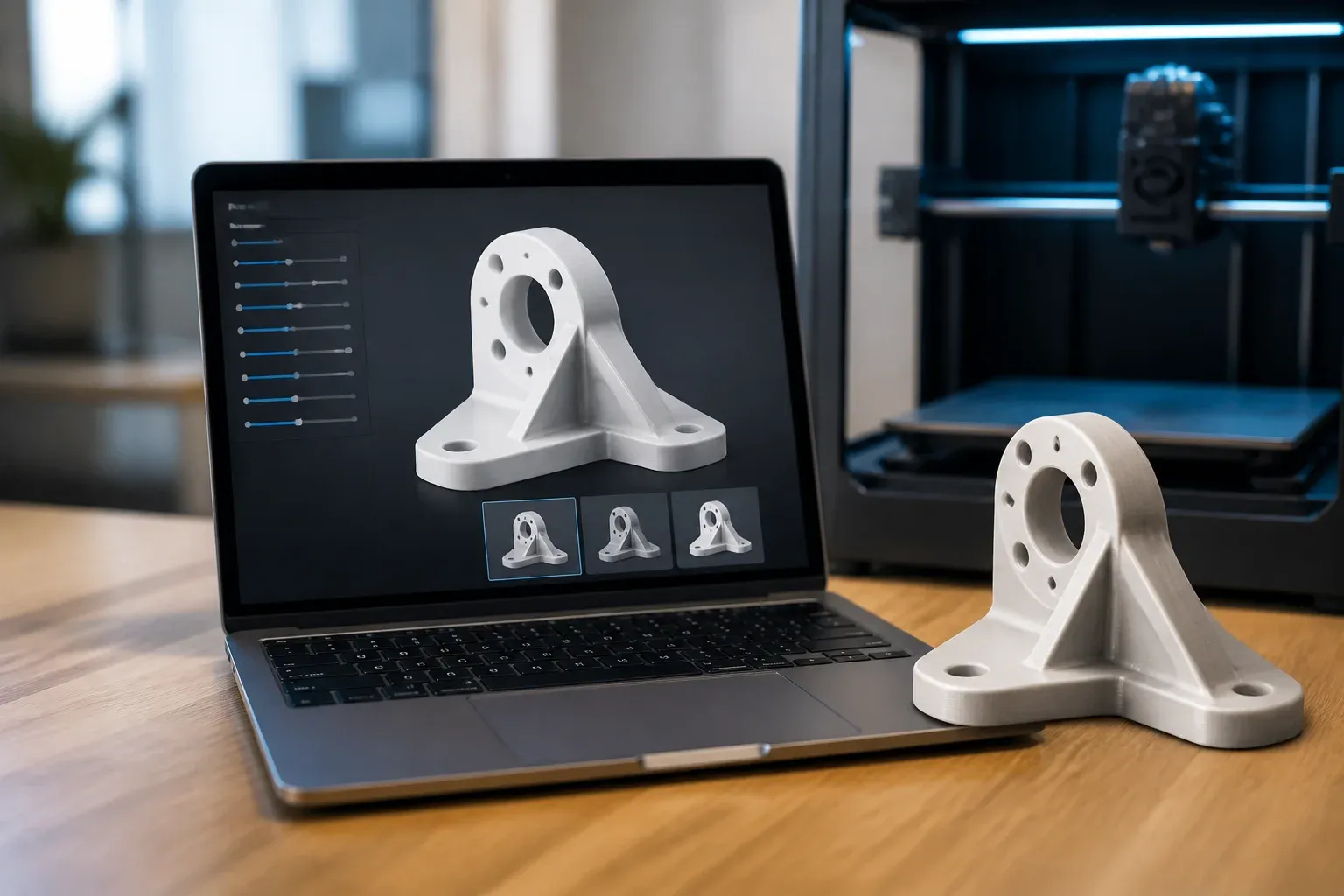
Google Gemini Canvas has demonstrated a practical route from conversational design to 3D-printable output. In the showcased workflow, a Canvas-built app lets a user adjust mathematical parameters for a 3D object such as a vase, view the result in 3D, and export the geometry as an STL file. That makes Canvas relevant to teams exploring lightweight custom-product, prototyping, and design tools, but it should not be confused with a general-purpose CAD application built into Gemini.
The key distinction is important. The STL output is produced by an app created within Canvas, rather than being a universal native export option for every Canvas project or every object a user describes. Gemini's public demonstration, referenced through the official Gemini App account, points to a more focused capability: Canvas can serve as a programmable environment where an interactive 3D tool can be generated and used.
What the Gemini Canvas demonstration shows
Canvas is Gemini's space for creating and working with code-based applications. In this case, the application can define 3D geometry, expose adjustable values, render the changing form, and serialize the resulting model into the STL format used by many 3D-printing workflows.
The demonstrated vase example is useful because it shows the difference between a static image and a parameterized object. Instead of asking for a new design from scratch after each change, a user can alter the mathematical inputs that determine the object and immediately inspect the updated 3D result. A Canvas app can use web-based 3D code to provide this interaction and an STL exporter to produce the file.
The workflow has several confirmed elements:
- A Canvas app can generate and display 3D geometry.
- The app can expose parameters that change the resulting form.
- The 3D model can be exported as an STL file from within that app.
- The demonstration is aligned with the broader Gemini 4 Argon narrative around code and real-world design tasks.
For a business, this is less about replacing professional CAD in every situation and more about reducing the distance between an idea and a testable object. A custom app could make a limited set of approved design choices easier to explore without requiring every user to work directly in a conventional modeling interface.
A targeted app, not universal CAD
The available evidence supports a Canvas-embedded 3D design workflow, not a claim that Gemini Canvas can natively convert any prompt, image, or Canvas output into a production-ready STL. The app must create the geometry and implement the export process. That is a meaningful capability, but it places the quality of the result on the design logic, geometry rules, and code used by the app.
This constraint also shapes where the approach is most useful. It is well suited to repeatable object families with clear variables, such as dimensions, curvature, wall thickness, or decorative patterns. It is less clearly suited, based on the demonstration alone, to highly complex engineering assemblies or unrestricted mechanical design.
| Workflow element | What the demonstration supports | What it does not establish |
|---|---|---|
| 3D design | A Canvas app can generate and visualize parameterized 3D geometry. | Canvas as a complete replacement for general-purpose CAD software. |
| Adjustments | Users can change mathematical parameters and see the form update. | That every design variable or object type is supported out of the box. |
| STL output | The Canvas app can export its generated geometry as an STL file. | A universal native STL export for all Gemini Canvas outputs. |
Where the workflow could be useful
A parameter-driven 3D app can be valuable when a team repeatedly creates variations of a known design. Consider a retailer developing simple 3D-printable accessories, a workshop testing product variants, or a design business offering limited personalization. Rather than rebuilding each variation manually, the business could define the values customers or staff are allowed to change and generate a corresponding model.
That can improve the handoff between design exploration and fabrication, especially when the object is intentionally constrained. A live 3D preview helps users understand the effect of a parameter before an STL is produced. The STL file can then enter an existing printing or prototyping process, subject to the usual checks for printability and final quality.
The possible practical benefits are straightforward:
- Faster iteration for controlled variants of a design.
- Less manual rework when the same design logic is reused.
- More accessible exploration for staff who need to choose parameters rather than model from a blank workspace.
- A clearer path to prototypes when a usable STL is the required handoff format.
Those benefits are potential outcomes, not guarantees. A business still needs to decide which parameters matter, how much variation is safe, and whether the final geometry is appropriate for its printer, material, and intended use. The demonstration does not establish automatic validation of dimensions, strength, tolerances, or print settings.
What teams should validate before using STL output
STL is a common 3D-printing file format, but export alone does not make a model ready for production. Teams should review the generated file in the context of their actual fabrication process. In particular, they should confirm that the geometry matches the desired dimensions, that the design works with the target material and printer, and that any required finishing or testing steps are accounted for.
The broader lesson from Canvas is that a business can potentially build a tailored interface around repeatable design decisions. That is different from asking a general AI tool to make arbitrary physical products. The strongest implementations will have bounded inputs, reusable geometry rules, and a clear review step before printing.
If your company sees value in turning repeatable design decisions into a practical internal tool, Scalevise can help assess the workflow, define useful constraints, and connect AI capabilities to the systems your team already uses. A focused approach can reduce manual design handoffs without treating a demonstration as a finished production process. Explore practical AI implementation and workflow planning with Scalevise, then request a consultation.
Frequently Asked Questions
Can Gemini Canvas export STL files?
A Canvas-built app can export the 3D geometry it generates as an STL file. The demonstrated capability is app-based, not a universal native export for every Canvas output.
What does parameterized 3D design mean in Gemini Canvas?
It means an app can expose mathematical values that control a 3D form. Changing those values updates the generated model so the user can inspect different versions.
Is Gemini Canvas a replacement for CAD software?
The demonstration supports a targeted, programmable 3D design workflow. It does not establish that Canvas replaces general-purpose CAD software for all design or engineering work.
What should a business check before 3D printing an exported STL?
It should verify dimensions, geometry, material suitability, printer compatibility, and any required quality checks for the intended object.
Conclusion
Gemini Canvas demonstrates how a custom, parameterized 3D app can move from interactive design choices to an STL export. Its significance lies in enabling focused tools for repeatable design tasks, not in proving that Gemini is a universal CAD platform. Businesses considering the workflow should treat the Canvas app and its geometry rules as the core of the solution, then validate each output against their real printing process.