
Migrating from OpenAI ChatGPT to Claude Without Losing Context or Prompts
Thinking about switching from ChatGPT to Claude? This guide explains exactly how to migrate your prompts, context, and workflow using Claude’s capabilities feature, without losing structure or productivity.
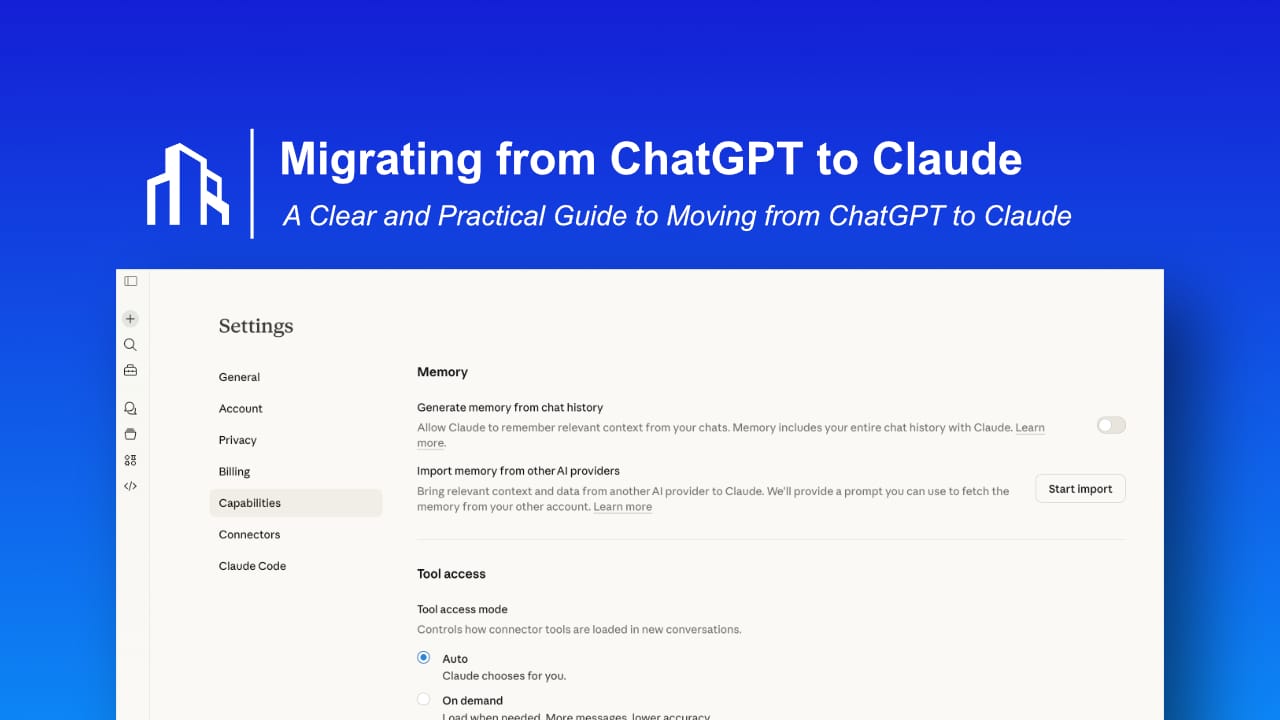
Switching from ChatGPT to Claude is no longer a complicated rebuild process. What used to feel like abandoning months or even years of prompt refinement can now be handled in a structured and controlled way. The technical friction has been reduced significantly.
But that does not mean you should migrate casually.
If you use AI seriously for writing, coding, research, publishing, client communication, or structured thinking, your prompts and context are assets. Migrating from ChatGPT to Claude should feel like upgrading infrastructure, not experimenting with a new toy.
This guide explains how to switch properly, how to use Claude’s built in migration capability, what to clean before importing, and how to avoid productivity loss.
Table of Contents
- Why Moving from ChatGPT
- Official Migration Entry Point
- What You Should Migrate
- Clean Before Migration
- Common Migration Mistakes
- FAQ
Why People Are Moving from ChatGPT to Claude
Some prefer how Claude handles long form reasoning and structured analysis. Others notice differences in tone stability, logical flow, or response depth. Developers sometimes test both models and select the one that produces clearer or more deterministic outputs for specific tasks.
There is also a strategic angle. Depending entirely on a single AI provider creates dependency. Exploring Claude can be part of building flexibility into your workflow.
However, switching tools does not automatically improve results. The model is only as strong as the clarity of your instructions.
Migration is not about abandoning ChatGPT. It is about regaining control over your AI system.
The Official Migration Entry Point in Claude
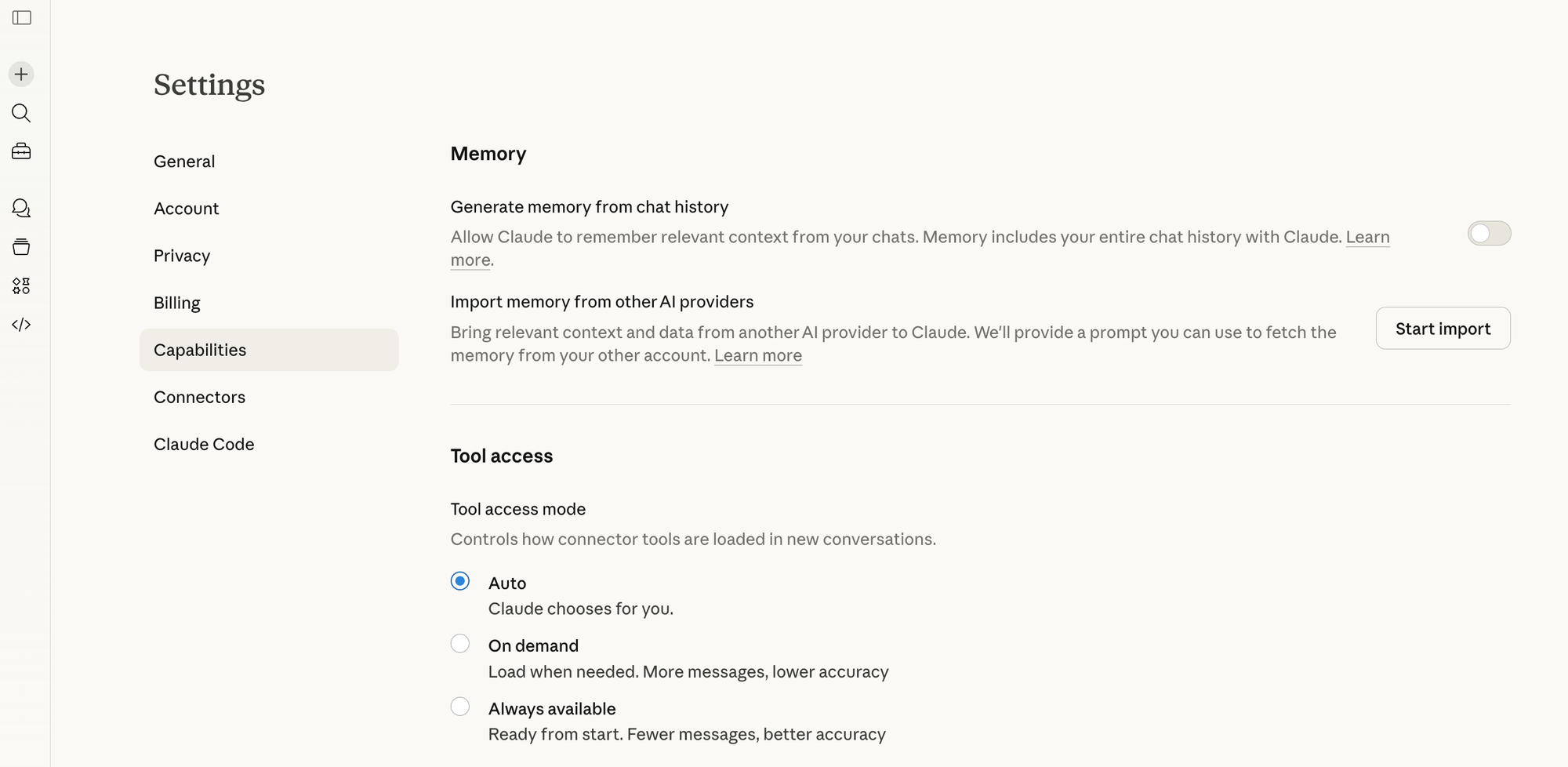
Claude provides a built in capability to import context and preferences. This significantly lowers the barrier to switching.
You can access the migration feature directly here:
https://claude.ai/settings/capabilities
Inside this section, Claude allows you to configure and import context so it understands your preferences and working style.
This is the foundation of a clean transition.
Understanding What You Should Actually Migrate
Before clicking import, pause.
Most long term ChatGPT users have accumulated:
- Casual conversations
- Experimental prompts
- Outdated tone instructions
- Half finished projects
- Valuable structured prompt systems
Migrating everything blindly introduces noise. Noise reduces output quality.
Instead, identify what truly matters:
- Your preferred tone and writing voice
- Formatting rules you consistently use
- Reusable prompt frameworks
- Domain specific expertise or constraints
- Coding standards or documentation patterns
Think in terms of signal versus clutter.
Migration is an opportunity to refine your system.
Clean Before You Import
Do not export entire chat histories.
Instead, extract intelligence.
Open your ChatGPT custom instructions and review your most valuable prompts. Rewrite them into a structured document that includes:
- Your tone definition
- Your formatting expectations
- Your structural preferences
- Recurring instructions you rely on
- Constraints you expect the assistant to follow
When information is structured clearly, Claude performs better.
This step alone often improves results even before migration.
Importing Context into Claude
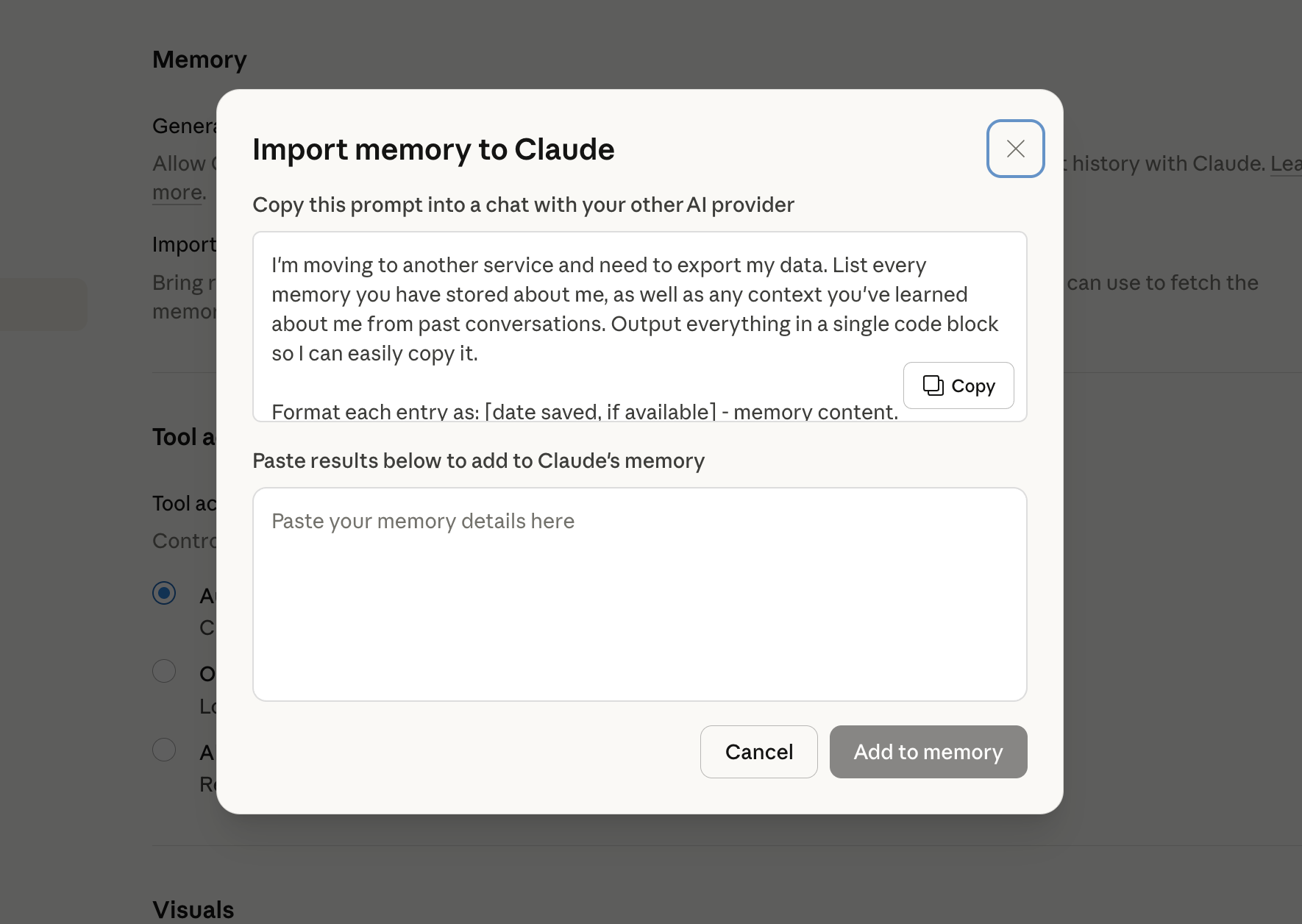
Follow the on screen process to import or configure your context.
After completing the import, do not assume everything works perfectly. Immediately test Claude with prompts you use regularly.
Compare structure, clarity, depth, and tone.
Different models interpret instructions differently. Minor adjustments in wording can significantly improve output consistency.
Migration is not copying. It is recalibration.
Run Both Models in Parallel
One of the smartest ways to switch without productivity loss is to run both tools side by side for a short period.
Use identical prompts in both systems. Evaluate differences in:
- Structural organization
- Logical flow
- Revision requirements
- Depth of reasoning
- Output predictability
This prevents emotional decision making.
You may find that Claude handles structured analysis better while ChatGPT remains useful for certain workflows. The decision does not have to be binary.
The objective is performance, not loyalty.
Common Migration Mistakes
There are predictable pitfalls:
- Importing raw conversation logs without filtering
- Expecting identical responses between models
- Switching completely without testing
- Migrating because of social media pressure
Avoid these, and migration becomes smooth.
You Do Not Have to Choose One Forever
Many advanced users operate with multiple AI tools simultaneously. Routing tasks based on strengths can produce better overall results.
The critical point is independence. Your workflow should not collapse if you change models.
If your prompts, tone standards, and structural logic exist outside any single platform, you maintain control.
Frequently Asked Questions
How do I migrate from ChatGPT to Claude without losing context?
You can migrate from ChatGPT to Claude by first reviewing and extracting your custom instructions, reusable prompts, and structured workflows. After organizing them clearly, import the relevant context through Claude’s capabilities settings at https://claude.ai/settings/capabilities. Clean and structured input ensures better continuity and output quality.
Does Claude allow importing ChatGPT memory or instructions?
Claude provides a capabilities section where you can configure and import context so the model understands your tone, preferences, and working style. While it does not automatically transfer complete chat histories, structured instructions and refined prompt systems can be migrated effectively.
Will I lose my prompts when switching from ChatGPT to Claude?
You will not lose your prompts if you document them before migrating. Instead of copying entire conversation logs, extract your core prompt frameworks, tone definitions, formatting standards, and recurring logic. This approach preserves workflow consistency and often improves clarity.
Is it better to fully replace ChatGPT with Claude?
Not necessarily. Many advanced users operate with multiple AI tools depending on the task. Running both models in parallel during the transition allows you to compare performance and determine whether a full switch or a hybrid setup works best for your workflow.
What is the smartest way to test Claude after migrating?
The most effective approach is to run identical prompts in both ChatGPT and Claude during a short evaluation phase. Compare structure, reasoning depth, clarity, and revision requirements. This ensures your decision is based on measurable performance rather than perception.
Final Perspective
AI tools will continue evolving. New models will appear. Features will shift.
Your advantage is not tied to one provider.
Your advantage is having a transferable, well defined AI system that can move when you decide it should.