
n8n Assistant Builds and Debugs Workflows Directly in the Existing Canvas
n8n Assistant brings natural-language workflow creation, testing and debugging into the n8n canvas while keeping the resulting automation editable and owned by the team.
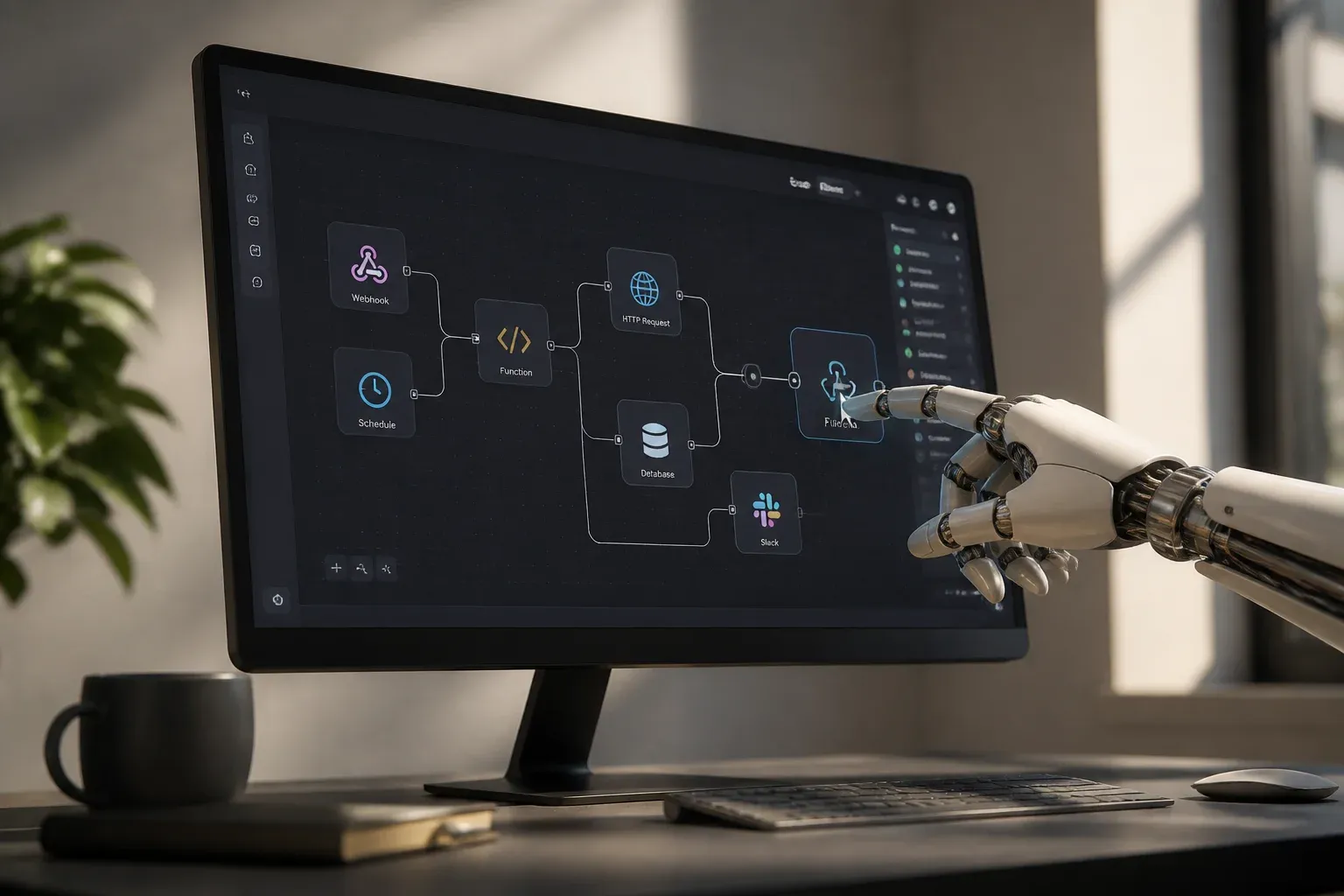
n8n has introduced n8n Assistant, a preview chat-based agent that can build, test and troubleshoot automations directly in the platform's existing workflow canvas. Rather than generating a workflow in a separate AI interface, the assistant plans the automation, places nodes on the canvas and works with the same native workflow teams can inspect, edit and run themselves.
That distinction is central to the product's practical value. A user can describe an automation in natural language, provide credentials when prompted and watch the workflow take shape in the environment where it will ultimately operate. The completed result remains in the team's n8n project, including its nodes and execution history. According to n8n's official n8n Assistant announcement, the assistant can also execute a workflow, monitor its behavior, diagnose problems and make changes before running it again.
For teams that already use n8n, this could shorten the path from an operational idea to a working automation. It does not remove the need to understand what a workflow does before activating it, especially while the feature is in Preview. It does, however, make workflow creation more conversational while preserving the visual and operational controls that make n8n workflows reviewable.
From prompt to native workflow
The intended interaction follows a practical build-and-improve cycle. Users describe the desired outcome instead of starting by manually selecting every node and connection. n8n Assistant then translates that request into a workflow on the canvas and guides the user through any required credential connection.
The core loop described by n8n includes:
- Planning the workflow from a natural-language request.
- Adding nodes to the existing canvas rather than producing a separate artifact.
- Requesting credentials when necessary to connect the workflow to relevant services.
- Running and monitoring the flow to see how it behaves.
- Debugging failures and applying fixes, then re-running the workflow.
- Leaving a native n8n workflow behind for the team to inspect, edit and own.
This approach matters because automations often need refinement after the first version. An initial workflow may reveal a missing credential, an incorrect field mapping or unexpected data during testing. n8n Assistant is designed to participate in that iteration cycle, while execution logs and the workflow itself remain visible to the user.
The assistant's output is therefore not a one-off generated script that must be exported or reconstructed elsewhere. Teams can continue working with the workflow in n8n's normal canvas, use its execution history to review results and make manual changes where needed. That continuity can be useful for organizations that want AI assistance without giving up the transparency of a visual automation tool.
| Area | n8n Cloud | Self-hosted n8n |
|---|---|---|
| Current availability | Available by default for new instances, with some Enterprise Cloud exceptions | Supported from version 2.36 onward for Docker deployments |
| Installation limitation | Cloud availability is plan and instance dependent | npm-based self-hosted installations are not yet supported |
| Assistant usage cost | Uses AI Assistant credits included with Cloud plans | Uses the deployment's own [API key](https://scalevise.com/services/api-system-integrations) rather than Cloud credits |
Availability, credits, and production safeguards
n8n Assistant is currently a Preview feature, and n8n says its availability, supported actions and behavior may change as development continues. The official documentation also advises users to review workflows before putting them into production. That is an important limitation: an assistant can accelerate building and testing, but the person responsible for the automation should still verify its logic, credentials and results.
Availability is broad but staged. On n8n Cloud, the assistant is available by default for new instances, subject to some Enterprise Cloud exceptions. Docker-based self-hosted deployments are supported from version 2.36 onward. npm-based self-hosted installs are not yet supported, while Enterprise deployment support is listed on the roadmap. The n8n Assistant documentation also notes that users need to explicitly prompt the assistant and grant permission for web access where that access is required.
Cost needs attention because the assistant consumes AI credits separately from earlier AI workflow-building features. On Cloud, plans include monthly Assistant credit allocations. n8n's pricing information cited in the announcement lists 2,300 monthly credits on Starter and up to 13,700 credits on higher tiers. More complex builds can consume more credits because debugging and repeated runs may require additional assistant interactions.
For self-hosted users, n8n says Assistant use does not draw on these Cloud credits because the deployment uses its own API key. That may offer more control over the underlying AI spend, but it also means teams should understand the costs associated with the API provider they choose.
For a business, the near-term opportunity is not simply faster node placement. The larger benefit is potentially reducing the manual effort involved in converting recurring work into an automation, such as routing incoming requests, synchronizing data between applications or preparing information for a team review. The value will depend on whether users can clearly describe the process, safely connect the necessary systems and validate the final workflow.
If your team wants to turn repetitive processes into dependable n8n workflows, Scalevise can help map the process, connect the right systems and build safeguards around testing and handover. Our n8n setup service focuses on practical automations that reduce manual work without leaving your team with an opaque solution. Use the assistant as a faster starting point, then make sure the workflow is reliable, maintainable and matched to how your business actually operates. Discuss an n8n implementation with Scalevise.
Frequently Asked Questions
What is n8n Assistant?
n8n Assistant is a Preview chat-based agent integrated into the n8n canvas. It can plan, create, edit, test and troubleshoot workflows from natural-language prompts.
Does n8n Assistant create a separate workflow artifact?
No. The resulting automation remains a standard n8n workflow on the user's existing canvas, where the team can inspect, edit and retain ownership of it.
Where is n8n Assistant available?
It is available by default for new n8n Cloud instances, with some Enterprise Cloud exceptions. Docker-based self-hosted deployments are supported from version 2.36 onward, while npm-based self-hosted installations are not yet supported.
How does n8n Assistant pricing work?
On n8n Cloud, Assistant usage consumes AI credits included with the user's plan. Self-hosted deployments use the deployment's own API key instead of Cloud credits.
Should teams use n8n Assistant for production workflows without review?
No. n8n labels the feature as Preview and advises users to review workflows before production use because capabilities and behavior may change.
Conclusion
n8n Assistant brings AI-guided workflow creation into the place where n8n automations are already built and managed. Its ability to plan, test, debug and iterate on native canvas workflows could make automation development more accessible, while the Preview status makes human review essential. For teams evaluating it now, the key question is whether the faster build cycle produces workflows that are properly tested, understandable and ready for real operational use.