
Microsoft Copilot Studio: Enterprise-Grade Agent Building With Compliance by Design
Microsoft Copilot Studio promises enterprise AI agents, but governance and compliance determine real-world viability. This guide explains what is compliance-ready, where risks remain, and how to deploy agents safely under GDPR and the EU AI Act.
Microsoft Copilot Studio is Microsoft’s enterprise platform for building, deploying, and governing AI agents across Microsoft 365 and external channels. While the surface-level narrative focuses on productivity and automation, the real strategic value of Copilot Studio lies in governance, compliance, and risk control.
This article evaluates Copilot Studio from a compliance-first perspective. Each capability is assessed not on innovation alone, but on how well it supports regulatory obligations such as GDPR, ISO 27001, SOC 2, and the upcoming EU AI Act changes.
What Copilot Studio Is (and Is Not)
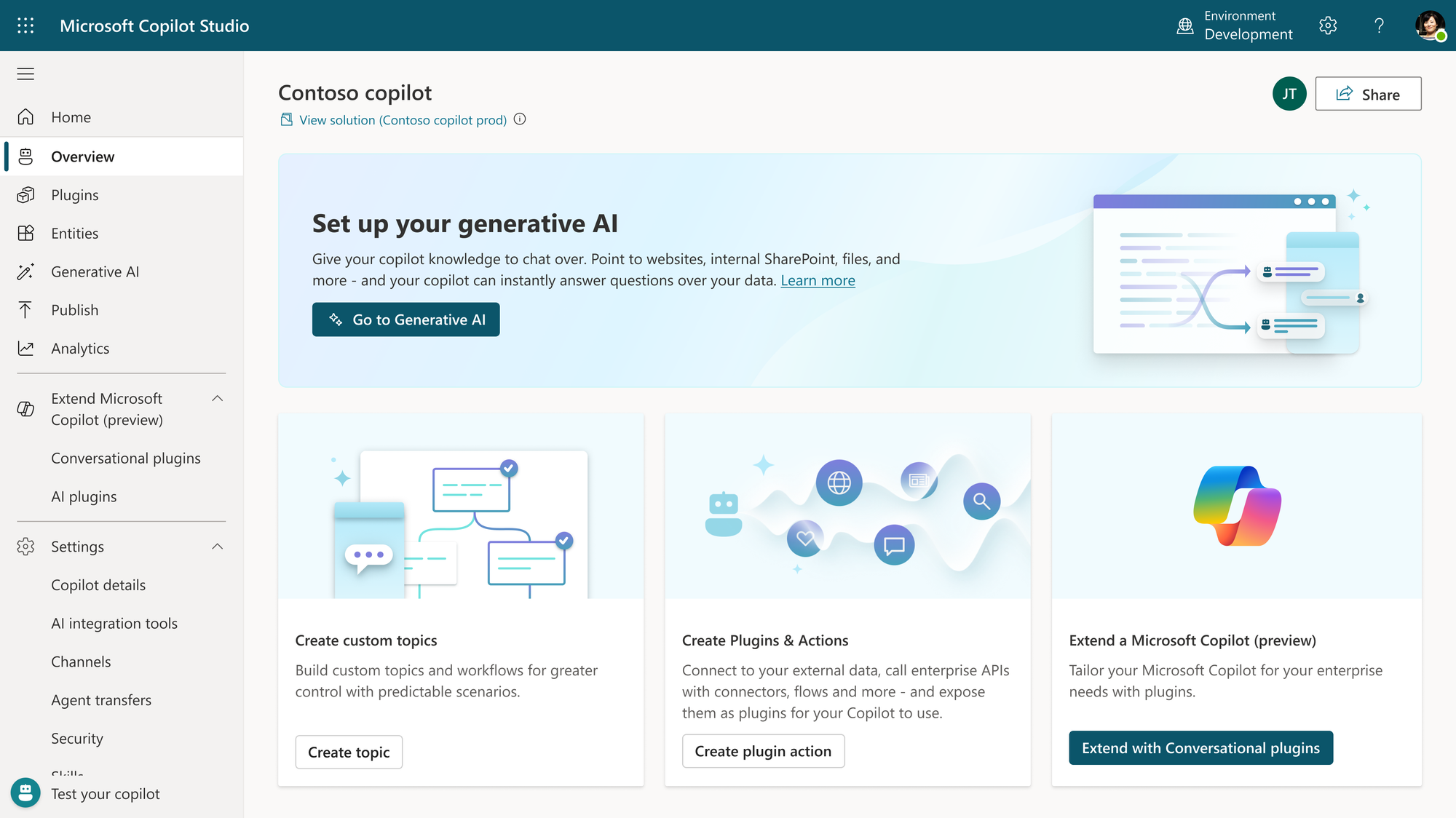
Microsoft Copilot Studio is not a lightweight chatbot builder or experimental AI playground. It is a Power Platform native agent framework deeply embedded in Microsoft’s enterprise stack:
- Microsoft Entra ID for authentication, authorization, and role separation
- Microsoft 365 tenant boundaries for data isolation
- Azure AI models combined with Azure AI Search for grounded, traceable responses
- Dataverse as a governed store for agent state and structured memory
- Power Platform environments, DLP policies, and admin controls
This architecture intentionally limits freedom in exchange for predictability, traceability, and policy enforcement. For regulated organizations, this trade-off is often desirable. For teams used to open-source agent stacks, it can feel restrictive but safer.
Create: Agent Design and Compliance Impact
Create and Customize Your Own Agents
Compliance status: Conditionally ready
Copilot Studio allows organizations to design agents with custom prompts, logic, tools, and memory scopes. From a compliance perspective, this flexibility must be paired with discipline.
Key compliance enablers:
- Identity is enforced through Entra ID, preventing anonymous or shared access
- Agents are scoped to environments, supporting separation of duties
- Configuration changes are logged and auditable
- Role-based permissions limit who can design, publish, or manage agents
Primary risks:
- Overly broad connector permissions
- Insufficient documentation of agent intent
- Poorly scoped data access that exceeds necessity
Custom agents are compliance-capable, but only when governance controls are actively applied.
Access Pre-Built Agents and Templates
Compliance status: Mostly ready
Microsoft-provided templates follow internal security baselines and offer a safer starting point than fully custom agents.
Advantages include:
- Pre-reviewed connectors and execution patterns
- Reduced likelihood of uncontrolled data flows
- Faster deployment with lower baseline risk
However, once templates are modified, they should be re-evaluated through internal compliance and DPIA processes.
Preconfigure Agent Workflows
Compliance status: Ready
Preconfigured workflows significantly improve compliance posture.
Benefits:
- Predictable execution paths
- Reduced hallucination risk
- Clear separation between intent, logic, and execution
- Easier auditability and troubleshooting
This aligns well with regulatory expectations around transparency and controllability.
Design Interactive Voice Response (IVR) Agents
Compliance status: High risk without additional controls
Voice-based agents introduce materially higher compliance risk.
Considerations:
- Voice data may qualify as biometric data
- Conversations can include sensitive personal information
- Explicit consent is often legally required
Copilot Studio supports IVR technically, but compliance depends on:
- Consent capture mechanisms
- Recording retention policies
- Secure storage and access control
- Clear disclosure to end users
Without these safeguards, IVR agents should be considered non-compliant.
Create Multi-Agent Systems
Compliance status: Structurally ready, operationally risky
Multi-agent orchestration enables complex automation but increases risk.
Strengths:
- Logical separation between agent roles
- Independent configuration and logging
Risks:
- Shared memory or Dataverse tables
- Implicit data propagation between agents
- Increased difficulty in tracing responsibility
Multi-agent systems require explicit architectural documentation and oversight.
Co-Author and Collaborate on Agents
Compliance status: Ready
Copilot Studio supports collaborative development through enterprise-grade controls.
Included features:
- Role-based access control
- Version history
- Clear audit trails
These features support accountability, change management, and audit readiness.
Revert to Previous Versions
Compliance status: Strong
Version rollback is critical for regulated environments.
It enables:
- Incident response and remediation
- Audit reconstruction
- Controlled recovery from faulty deployments
This capability is often missing in custom agent stacks and is a notable strength of Copilot Studio.
Deploy: Where Compliance Is Won or Lost
Publish Inside Microsoft 365
Compliance status: Strong
Internal deployment is the safest option.
Characteristics:
- Data remains within tenant boundaries
- Existing Microsoft 365 security policies apply
- Centralized identity, logging, and monitoring
This model is recommended for regulated or sensitive workloads.
Publish to External Channels (Web, Apps, Social)
Compliance status: Depends on architecture
External exposure introduces new obligations.
Key implications:
- Data may leave Microsoft tenant boundaries
- Consent, disclosure, and transparency become mandatory
- Monitoring and logging must extend beyond Microsoft 365
Copilot Studio enables external publishing, but compliance responsibility shifts to the implementer.
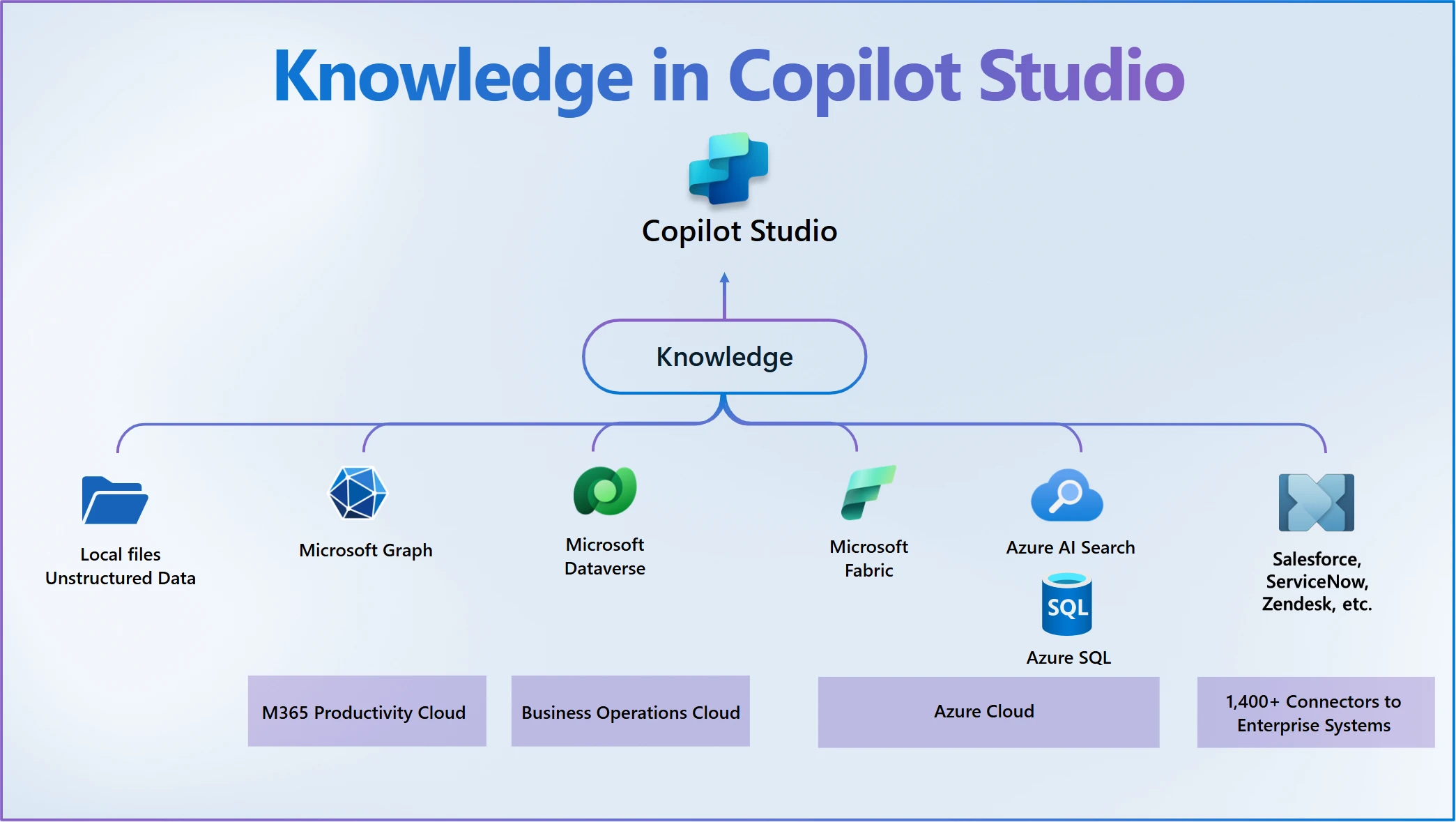
Use Azure AI Models and Azure AI Search
Compliance status: Strong
Grounding agents with Azure AI Search materially reduces risk.
Benefits:
- Controlled knowledge scope
- Reduced hallucination likelihood
- Traceable data sources
- Better alignment with EU AI Act transparency principles
This is one of Copilot Studio’s strongest compliance features.
Integrate Power Platform Connectors
Compliance status: High variance
Connectors represent the largest hidden risk surface.
Considerations:
- Microsoft connectors generally meet enterprise standards
- Third-party connectors introduce external processors
- Custom connectors require DPIA and vendor assessment
Connector governance is critical to maintaining compliance.
Manage: The Core Compliance Advantage
Power Platform Admin Center
Compliance status: Strong
Centralized administration enables:
- Environment isolation
- Role separation
- Policy enforcement
This is foundational for enterprise governance.
Dataverse for Agent Data
Compliance status: Strong
Dataverse provides:
- Regional data residency
- Fine-grained access control
- Retention and lifecycle management
From a compliance standpoint, Dataverse is one of the safest agent memory stores available.
On-Premises Data Gateway
Compliance status: Strong with caveats
Allows agents to interact with internal systems without exporting raw data.
Risks arise if:
- Access scopes are too broad
- Monitoring is insufficient
Still preferable to direct external exposure.
Dedicated Environments
Compliance status: Excellent
Environment separation supports:
- Dev, test, and production isolation
- Incident containment
- Regulatory audits
This directly maps to ISO 27001 and SOC 2 controls.
Usage, Cost, ROI, and Analytics
Compliance status: Ready
Monitoring supports:
- Behavioral oversight
- Abuse detection
- Audit evidence
Integration with Purview and Admin Center strengthens governance.
Identify Failed Automation Steps
Compliance status: Critical
Failure visibility prevents:
- Silent data leaks
- Partial execution errors
- Untraceable agent behavior
This feature is more important for risk management than productivity.
Final Assessment
Microsoft Copilot Studio is compliance-ready by architecture. However, compliance is not automatic. It requires disciplined configuration, connector governance, and clear deployment boundaries.
Strategic Recommendation
Copilot Studio is best suited for organizations that:
- Operate in regulated environments
- Require auditability and centralized governance
- Prefer controlled agent behavior over unrestricted flexibility
Used correctly, it offers one of the strongest compliance foundations for enterprise AI agents available today.
How Scalevise Can Help You Set This Up
Scalevise helps organisations design and implement Microsoft Copilot Studio in a practical, production-ready way. We take care of the technical setup, integration choices, and deployment structure so your agents work reliably within your existing Microsoft environment.
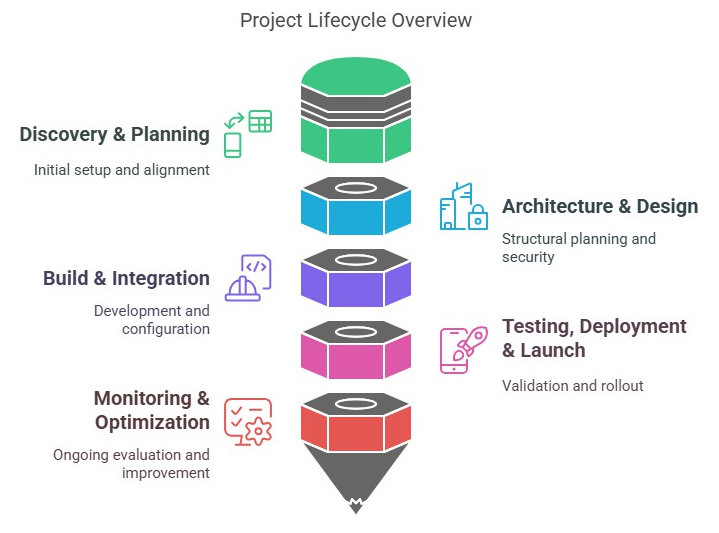
If you want Copilot Studio configured correctly from the start and aligned with how your organisation actually operates, you can use the scheduler below to discuss your setup.